

Finding the best AI writing software for beginners can feel overwhelming when dozens of platforms compete for your attention. When I first started exploring AI writing tools about three years ago, the landscape was chaotic. Half the products on the market felt like glorified autocomplete features, while others promised the moon and delivered content that read like a slightly drunk college freshman had written it at 3 AM.
Things have changed dramatically since then.
Today’s AI writing tools for beginners have matured into genuinely useful technology that can help new users produce better content faster. Whether you’re searching for beginner-friendly AI writing software to launch a blog, craft marketing emails, or streamline your content workflow, the options available now are remarkably capable. But here’s the catch—not every AI content generator works well for someone just starting out. Some platforms assume you already understand prompt engineering or content strategy, or that you have a background in copywriting. Others bury their most useful features behind complicated interfaces.
After spending countless hours testing dozens of these writing assistant software platforms and recommending them to clients, students, and fellow writers, I’ve developed strong opinions about which ones actually serve beginners well. This comprehensive guide to the best AI writing software for beginners breaks down everything you need to know before investing your time and money—from essential features to look for, detailed platform reviews, practical tips, and honest assessments of each tool’s strengths and limitations.
What Exactly Does AI Writing Software Do?
Before diving into specific recommendations for the best AI writing tools, let’s clear up what we’re actually talking about here.
AI writing tools use large language models to generate, improve, or assist with written content. Think of them as incredibly well-read writing assistants who can help you draft blog posts, craft emails, generate social media captions, or punch up existing copy that feels flat.

Some tools focus on generation—creating content from scratch based on your instructions. Others specialize in enhancement, taking your existing writing and making it clearer, more engaging, or grammatically sound. Many modern platforms offer both capabilities.
Here’s what beginners often misunderstand: these tools aren’t meant to replace your thinking. They’re collaborative partners. The best results come when you bring your ideas, expertise, and judgment while letting the software handle the heavy lifting of articulation, structure, and refinement.
What Beginners Should Actually Look For in AI Writing Software
After watching hundreds of people stumble through their first experiences with these tools, I’ve noticed certain features make or break the beginner experience when choosing AI writing software.
Intuitive Interface
This sounds obvious, but you’d be amazed at how many platforms seem designed by engineers who’ve never watched a regular person try to use software. A good beginner-friendly AI writing tool should feel approachable within the first five minutes. If you’re staring at a blank screen, wondering where to even click, that’s a red flag.
Templates and Guided Workflows
Starting from a completely blank canvas intimidates most people. The best AI content generators for newcomers offer templates—pre-built frameworks for common content types such as blog posts, product descriptions, and email newsletters. These templates guide you through providing the right inputs so the AI can actually help.
Quality Output Without Complex Prompting
Some AI tools require elaborate, carefully structured prompts to produce decent results. Great beginner AI writing software should generate usable content from relatively simple instructions. You shouldn’t need a PhD in prompt engineering to get a coherent paragraph.
Reasonable Pricing
Many beginners aren’t sure they’ll stick with AI writing tools in the long term. Platforms with generous free tiers or affordable entry-level plans let you genuinely explore before committing significant money.
Good Documentation and Support
When you inevitably get stuck—and you will—having clear tutorials, responsive support, or an active community makes the learning curve much less frustrating.
The Best AI Writing Software for Beginners: Detailed Reviews
I’ve tested these AI writing platforms extensively, not just by running a few test prompts but by using them for actual projects over extended periods. Here’s my honest assessment of each option for beginners looking to find the best AI writing tool for their needs.
Copy.ai: Best Overall AI Writing Software for Beginners
If I had to recommend just one platform to someone who’s never used AI writing software, Copy.ai would be my answer.
The interface is remarkably clean. When you log in, you’re not overwhelmed with options. The platform guides you toward choosing a content type—social media post, blog intro, product description, whatever—and then walks you through providing the inputs it needs.
What I particularly appreciate is how Copy.ai handles the “blank page problem.” Their Chat feature lets you discuss what you’re trying to create, almost like brainstorming with a colleague. This feels much more natural than crafting a perfect prompt from scratch.
Strengths:
- Extremely gentle learning curve
- Free tier offers 2,000 words per month (enough to genuinely test it)
- Templates cover the most common use cases.
- Chat interface feels conversational rather than technical.
- Brand voice features help maintain consistency.
Limitations:
- Long-form content generation can feel somewhat disjointed.
- Higher tiers get expensive quickly if you’re producing lots of content.
- Some templates produce fairly generic output without careful customization.
Best For: Bloggers, small business owners creating marketing copy, social media managers, and anyone just dipping their toes into AI writing tools
Pricing: Free tier available; Pro starts around $36/month
Jasper: Best AI Writing Tool for Scaling Up Quickly
Jasper (formerly known as Jarvis) occupies an interesting position among AI content generators. It’s not the absolute easiest tool to learn, but it’s designed so that beginners can start simply and grow into more advanced features without switching platforms.
The platform offers what they call “Recipes”—essentially automated workflows that chain together multiple AI operations. A beginner might not use these immediately, but knowing they exist means you won’t outgrow the platform quickly.
Jasper’s long-form assistant deserves special mention. Unlike many competitors, Jasper handles blog posts and articles reasonably well. The output still needs editing—any AI output does—, but you’re starting from a much stronger foundation.
Strengths:
- Robust long-form content capabilities
- Templates for nearly every content type imaginable
- Strong brand voice training
- Excellent integration with SEO tools
- Active community with lots of learning resources
Limitations:
- Steeper learning curve than simpler alternatives
- Pricing starts higher than that of many competitors.
- Can feel overwhelming initially due to feature density
- Requires some practice to get consistently good outputs
Best For: Marketers, content agencies, bloggers planning to scale, and anyone who wants room to grow with their AI writing software
Pricing: Creator plan starts around $39/month; Teams plan around $99/month
Writesonic: Best Free AI Writing Software for Beginners
If you’re not ready to spend money but want a legitimately capable AI writing tool, Writesonic offers one of the most generous free tiers I’ve encountered.
The platform provides around 10,000 words per month for free users—enough to produce several blog posts or numerous short-form pieces. That’s not a limited trial; it’s an ongoing free tier.
Quality-wise, Writesonic sits in the middle ground between beginner and advanced AI writing tools. It won’t blow you away, but it rarely disappoints either. The consistency is actually a strength—you know roughly what you’re getting each time.
Their Article Writer feature works surprisingly well for beginners creating blog content. You provide a topic, optionally some keywords, and it generates a structured draft complete with sections and subsections. It’s not ready to publish directly, but it gives you something substantial to work with.
Strengths:
- Genuinely useful free tier
- The Article Writer handles blog post creation well.
- Chatsonic’s feature provides conversational AI interaction.
- Regular updates and improvements
- Decent SEO optimization features
Limitations:
- Output quality varies more than premium alternatives.
- The interface feels slightly cluttered.
- Long-form content sometimes lacks cohesion.
- Customer support can be slow.
Best For: Budget-conscious beginners, hobbyist bloggers, students, and anyone wanting extensive testing before paying for AI writing software
Pricing: Free tier available; Individual plan around $16/month (annual billing)
Rytr: Best Budget-Friendly AI Writing Tool for Beginners
Rytr approaches AI content generation differently from most competitors. Rather than trying to do everything, it focuses on doing a few things really well at an incredibly accessible price point.
For just $9/month, you get unlimited content generation. That’s not a typo—unlimited. For beginners producing lots of content or needing to experiment extensively, this pricing model removes the anxiety of watching your word count deplete.
The platform excels at short-form content: social media posts, email subject lines, product descriptions, ad copy. It’s less impressive for long-form articles, but that trade-off makes sense given the positioning as affordable AI writing software for beginners.
Strengths:
- Unbeatable value at $9/month unlimited
- Very easy to learn
- Decent quality for short-form content
- Multiple language support
- Built-in plagiarism checker
Limitations:
- Long-form content quality is noticeably poorer.
- Fewer features than premium alternatives
- Limited customization options
- Template selection is narrower.
Best For: Social media managers, e-commerce businesses needing product descriptions, beginners on tight budgets seeking AI writing tools
Pricing: Free tier (10,000 characters/month); Unlimited plan $9/month
Sudowrite: Best AI Writing Software for Fiction and Creative Writing
Most AI writing tools focus on marketing and business content. Sudowrite takes a completely different approach, building specifically for creative writers.
If you’re a beginning novelist, short story writer, or just someone who enjoys creative writing as a hobby, Sudowrite understands your needs in ways that generic AI content generators simply don’t. It offers features like “Describe” (generating sensory details for scenes), “Brainstorm” (generating plot or character ideas), and “Expand” (developing short passages into fuller scenes).
The platform doesn’t try to write your novel for you. Instead, it functions more like a creative collaborator—suggesting possibilities, helping you past blocks, and enriching your existing prose.
Strengths:
- Uniquely designed for fiction and creative work
- Understands narrative structure and pacing
- Excellent for overcoming writer’s block
- Generates genuinely creative suggestions
- Maintains your authorial voice reasonably well
Limitations:
- Not suitable for business or marketing content
- Higher learning curve for non-writers
- More expensive than general-purpose tools
- Requires you to already have story ideas
Best For: Novelists, short story writers, screenwriters, creative hobbyists looking for AI writing assistance
Pricing: Starts around $19/month for 225,000 AI words
Grammarly: Best AI Writing Tool for Improving Existing Writing
I debated including Grammarly since it’s technically an editing tool rather than a generative AI writing platform. But so many beginners would benefit from it that leaving it out felt wrong.
Grammarly started as a grammar checker but has evolved into something much more sophisticated. Its current iteration offers tone adjustments, clarity improvements, and genuine suggestions for making your writing more engaging. The Premium tier includes a generative AI feature for rewriting paragraphs or drafting content.
What makes Grammarly exceptional for beginners is its educational features. Unlike AI content generators that just produce content, Grammarly explains why it’s suggesting changes. You actually learn to write better over time, not just output more words.
Strengths:
- Teaches you as it edits
- Works everywhere (browser extension, desktop app, mobile)
- Integrates with virtually every platform
- Excellent at catching errors humans miss
- Tone detection helps match audience expectations.
Limitations:
- Not primarily a content generation tool
- Premium is expensive for just editing features.
- Sometimes, it suggests changes that hurt the voice.
- The free tier is quite limited.
Best For: Everyone, honestly—but especially beginners who want to improve their actual writing skills alongside using AI writing software
Pricing: Free tier available; Premium around $12/month (annual billing); Business around $15/month per user
QuillBot: Best AI Tool for Paraphrasing and Rewording
Sometimes you don’t need to generate content from scratch—you need to take existing content (your own, not plagiarized material) and present it differently. QuillBot excels at this specific function among AI writing tools for beginners.
The platform offers multiple paraphrasing modes: Standard, Fluency, Formal, Simple, Creative, Expand, and Shorten. Each produces genuinely different results, which proves useful across various contexts.
Beyond paraphrasing, QuillBot includes a grammar checker, summarizer, citation generator, and translator. This makes it particularly valuable for students or academics who frequently work with source material.
Strengths:
- Best-in-class paraphrasing
- Multiple modes for different needs
- Useful academic features (summarizer, citations)
- Very affordable
- Simple, focused interface
Limitations:
- Not designed for original content generation
- Paraphrasing alone isn’t enough for most projects.
- Premium required for full functionality
- Can’t help if you have nothing to paraphrase
Best For: Students, researchers, non-native English speakers, and anyone repurposing existing content with AI writing assistance
Pricing: Free tier available; Premium around $9/month (annual billing)
Wordtune: Best AI Writing Software for Sentence-Level Improvements
Wordtune takes a laser focus on improving your writing one sentence at a time, making it unique among AI writing tools for beginners. You write something, highlight it, and Wordtune offers multiple alternative ways to express the same idea.
This approach works beautifully for beginners who have ideas but struggle with articulation. You’re not asking AI to create something from nothing—you’re showing it your rough thought and asking for better ways to express it.
The rewrite suggestions genuinely vary, offering options from casual to formal, from concise to expanded. It’s like having a skilled editor suggest alternatives without imposing their preferences.
Strengths:
- Excellent for improving existing drafts
- Multiple suggestions per sentence
- Maintains your meaning while improving expression
- The browser extension works across the web.
- Very easy to learn
Limitations:
- Can’t generate content from scratch
- Works sentence-by-sentence, which can feel slow
- The free tier is quite restricted.
- Not suitable for long-form generation
Best For: ESL writers, bloggers improving drafts, professionals polishing emails and reports using AI writing software
Pricing: Free tier available; Premium around $10/month (annual billing)
Matching the Best AI Writing Tools to Your Specific Needs
With this many options for AI writing software for beginners, here’s how I’d break down the decision:
If you need an all-around starter tool: Copy.ai
If you want to learn without spending money: Writesonic (free tier)
If the budget is extremely tight, but you want unlimited use, Rytr.
If you’re writing fiction or creative content: Sudowrite
If you want to genuinely improve your writing skills, Grammarly
If you primarily need to rephrase existing content: QuillBot
If you’re planning to scale to professional content production: Jasper
If you need sentence-level polish on existing work: Wordtune
Getting Started with AI Writing Software: Practical Tips from Experience
After onboarding dozens of people to these AI writing tools, I’ve noticed common patterns that separate beginners who succeed from those who get frustrated and quit.
Start With One Tool
I know the temptation to sign up for multiple free trials simultaneously. Resist it. Each AI writing platform has its quirks, and you’ll learn faster by going deep on one tool before sampling others. Give your chosen platform at least two weeks of regular use before evaluating it fairly.
Begin With Content Types You Know
Don’t start by asking AI to help with something you’ve never written before. If you’ve never crafted a sales email, you won’t know whether the AI’s output is good or terrible. Start with familiar content types to assess quality and learn how the tool responds to feedback.
Treat Output as First Drafts
Every experienced user understands this intuitively: AI-generated writing is never finished work. It’s raw material. Plan to edit, restructure, add personal insights, fact-check claims, and inject your voice. If you’re hoping to hit “generate” and publish, you’ll be disappointed with the results.
Learn to Give Better Instructions
The quality of your input directly determines the quality of the output when using AI content generators. Vague prompts produce generic content. Compare these instructions:
Weak: “Write a blog post about productivity.”
Strong: “Write a 600-word blog post about the Pomodoro technique for remote workers who struggle with afternoon focus. Tone should be encouraging but practical. Include one personal anecdote placeholder I can fill in.”
The second prompt gives the AI context about the audience, length, specific topic, tone, and even acknowledges that you’ll personalize the content.
Keep a Swipe File
When the AI produces something you particularly like—a phrase, transition, structure—save it somewhere. Over time, you’ll build a collection of proven outputs you can reference and learn from.
Common Beginner Mistakes to Avoid with AI Writing Tools
Watching people struggle with these AI writing platforms has taught me what trips up newcomers most frequently.
Over-Trusting the Output
AI confidently produces factual-sounding statements that are completely wrong. I’ve seen output claim companies were founded in the wrong years, attribute quotes to the wrong people, and make up statistics wholesale. Always verify any factual claims before publishing content from AI writing software.
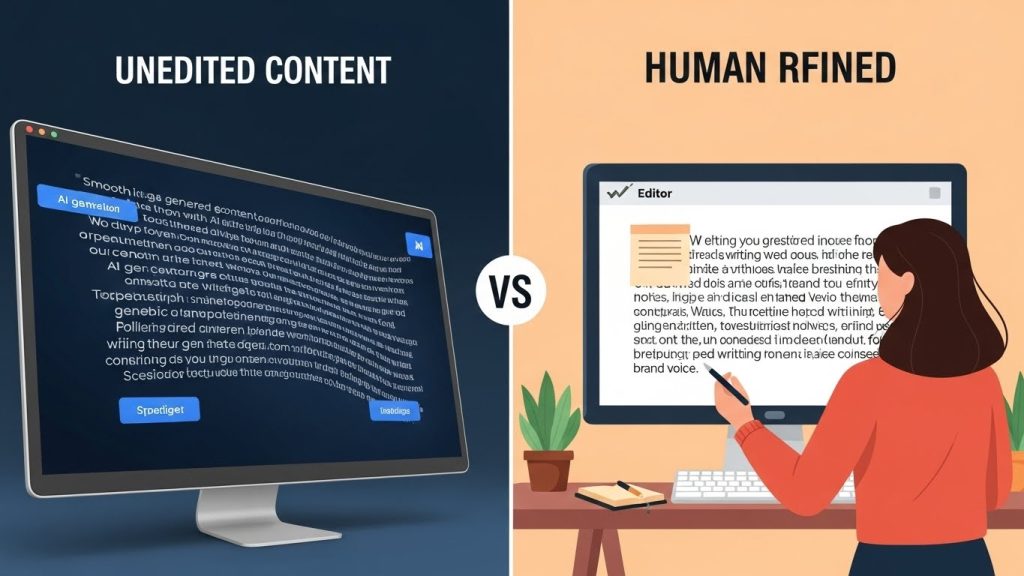
Publishing Without Editing
The AI doesn’t know your audience, your brand voice, or your specific context. Even grammatically correct output often needs personalization to feel authentic. Raw AI content often has a particular “smoothness” that experienced readers recognize and distrust.
Using AI for Everything
Just because you can automate something doesn’t mean you should. Personal emails, heartfelt messages, opinion pieces that establish your perspective—these often suffer when run through AI content generators. Know when authentic human expression matters more than efficiency.
Ignoring the Learning Curve
These AI writing tools for beginners require practice. Your first outputs will probably disappoint you. That’s normal. Stick with it, experiment with different approaches, and you’ll develop an intuition for what works.
Not Keeping Humans in the Loop
AI can’t replace human judgment about what’s appropriate, accurate, or valuable to your audience. The most successful beginners treat AI writing software as a tool rather than an autonomous creator.
The Ethical Considerations of Using AI Writing Software
I’d be doing you a disservice if I didn’t address the ethical dimensions of using AI writing tools.
Disclosure and Transparency
Different contexts have different expectations. Academic work typically prohibits AI generation. Journalism has evolving standards. Marketing content occupies grayer territory. Know the norms of your context and consider whether your audience deserves to know about AI assistance.
Copyright and Ownership
The legal landscape around AI-generated content remains murky. Most AI writing platforms grant you rights to the content you generate, but downstream questions about copyright protection are unsettled. For critical business content, consult with legal professionals.
Avoiding Over-Reliance
There’s a real risk that, depending on AI writing software, your own writing abilities may be affected. I recommend maintaining practices—journaling, drafting without AI, reading extensively—that keep your natural writing skills sharp.
Job Displacement Concerns
If you’re entering a writing-related field, recognize that AI is changing what skills matter. Pure content production is increasingly commoditized. The valuable skills are becoming idea generation, editing, fact-checking, strategy, and the human judgment that AI content generators can’t replicate.
Looking Forward: What Beginners Should Know About AI Writing Tools
The landscape of AI writing software evolves rapidly. The tools I’m recommending today will have different capabilities six months from now. Here’s what I expect moving forward:
Increasing integration. Standalone AI writing tools will increasingly merge into the platforms where we already work—directly in Google Docs, WordPress, and email clients.
Better long-form capabilities. Current tools still struggle with cohesive long-form content. This will improve significantly.
More sophisticated voice matching. Future AI writing software for beginners will learn and replicate your specific writing style more effectively.
Regulatory changes. Expect disclosure requirements, particularly in regulated industries and potentially in journalism and education.
For beginners, the key is building adaptable skills—learning to collaborate effectively with AI rather than depending on any single platform’s specific features.
Final Recommendations for Choosing the Best AI Writing Software for Beginners
If you’re just starting out with AI writing tools, here’s my straightforward advice:
- Sign up for Copy.ai’s free tier. It’s the most beginner-friendly AI writing software with enough free words to genuinely evaluate it.
- Install Grammarly’s free browser extension. Even if you don’t use generative AI features, the editing assistance will immediately improve your content.
- Spend two weeks creating content you actually need. Not test prompts—real projects. You’ll learn much faster by working on authentic tasks with your chosen AI writing tool.
- Budget for at least one paid tool once you’re serious. The free tiers are great for learning, but you’ll hit limitations quickly if you’re producing real content.
- Never publish AI content without human review. This single practice will prevent most quality and accuracy issues when using AI content generators.
AI writing software represents a genuine leap forward in writing productivity. But it’s a tool, not a replacement for thinking, expertise, and human judgment. Beginners who understand that distinction will get the most value from these increasingly powerful AI writing platforms.
The technology is here to stay. The question is whether you’ll develop the skills to use it effectively. Based on what I’ve seen, investing time in learning the best AI writing software for beginners is worth it—if you approach it thoughtfully.