
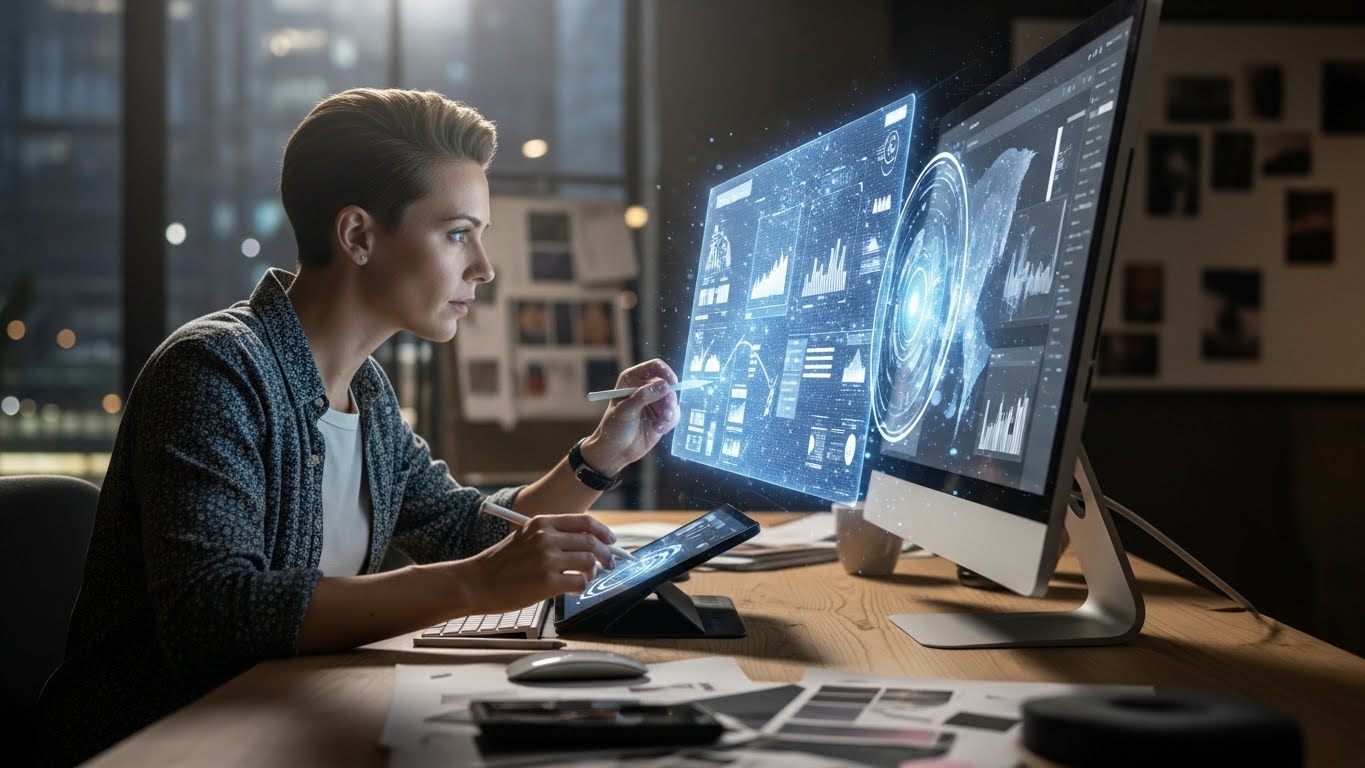
I remember the exact moment the floor shifted beneath my feet. It wasn’t during a flashy keynote presentation or a tech conference. It was late on a Tuesday night—around 2:00 AM—and I was staring at a hero image for a client’s website that was, frustratingly, 200 pixels too narrow.
Three years ago, that situation would have triggered a familiar, tedious sequence: open the clone stamp tool, carefully paint in new textures, feather the edges, pray the lighting matches, and spend an hour strictly on damage control. This time? I lassoed the empty space, typed a simple command into a text box, and sipped my cold coffee. Ten seconds later, the background extended seamlessly, creating a realistic continuation of the blurred office interior, with accurate depth-of-field. It wasn’t just magic; it was billable hours saved.
That is the reality of the best AI tools for graphic design workflow today. It is not about the apocalyptic narrative of robots stealing creative jobs. It is about the death of the mundane. It is about eliminating the technical bottlenecks that have frustrated designers since the first version of Photoshop.
As someone who has navigated the industry for over a decade—from the print-heavy days of QuarkXPress to the cloud-based agility of the modern agency—I have spent the last 18 months rigorously stress-testing this new wave of software. I have integrated them into complex agency pipelines and scrappy freelance projects alike.
This article is not a press release. It is a deep, unvarnished look at the AI graphic design tools that actually matter for professional workflows. We are going to strip away the marketing hype to focus on utility, quality, ethical implementation, and the all-important “human touch.”
The Philosophy of the Hybrid Workflow
Before we dive into the specific software, we need to address the mindset shift required to use it effectively. If you approach AI tools for graphic design looking for a “make logo” button, you will end up with generic, derivative trash. The AI models are trained on the average of the internet, so their default output is, by definition, average.
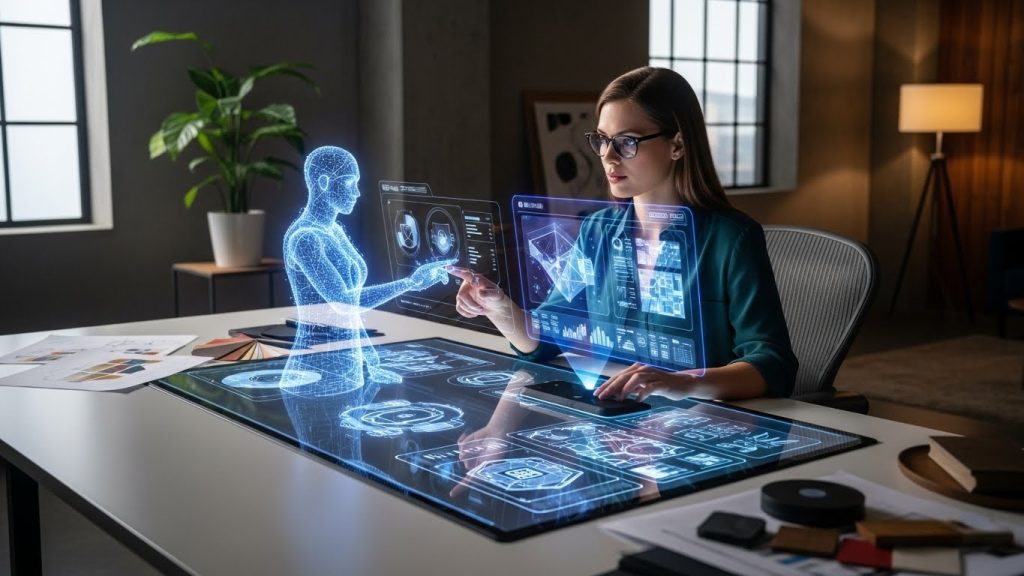
The professional designer’s role is shifting from “primary creator” to “creative director.” We are becoming conductors of an orchestra of algorithms. The skill lies not just in moving the mouse but in possessing the taste, historical knowledge, and technical theory to know what to ask for, and more importantly, how to fix it when the AI inevitably gets it wrong.
The best AI tools for graphic design workflow are those that fit seamlessly into your existing process—Ideation, Creation, production, and Revision—acting as force multipliers rather than replacements.
Phase 1: Ideation and Concepting (Breaking the Blank Page)
The hardest part of any branding or campaign project is the first hour. The tyranny of the blank page is real, and “designer’s block” burns valuable time. This is where generative models shine—not for final assets, but for rapid visual exploration.
Midjourney: The Aesthetic Heavyweight
Despite its user interface being trapped inside a chaotic Discord server (though a web alpha is rolling out), Midjourney remains the undisputed king of stylistic depth and texture.
I do not use Midjourney to generate final logos or layout elements because it lacks vector precision. However, for mood boarding, it is unbeatable.
- The Workflow: fast-forwarding the “vibe check.” I recently had a client request a “retro-futuristic 1980s cereal box aesthetic” for a craft beer label. Explaining that visually to a client is difficult. I spent 15 minutes in Midjourney generating variations. I put four rough concepts on a slide and asked, “Which direction feels right?”
- The Pro Feature: The real power lies in the –sref (Style Reference) parameter. You can upload an image of a texture or color palette you love and tell Midjourney to apply that specific style to a new prompt. This allows for a consistency that was previously impossible with random generation.
Krea.ai: The Real-Time Visualizer
While Midjourney is like sending a fax and waiting for a reply, Krea.ai feels like a live conversation. It offers real-time generation. You draw a crude circle and a square on the left side of the screen, and on the right side, the AI renders a realistic apple on a table instantly.
- Why it matters: For industrial designers or packaging designers, this bridges the gap between a napkin sketch and a render. You can crudely sketch a bottle shape, and Krea will texture it with glass and liquid in real-time. It creates a feedback loop that feels organic, allowing you to iterate on shapes faster than in 3D modeling.
Vizcom: From Sketch to Product
Similar to Krea but specialized for product design, Vizcom is a tool I’ve seen adopted rapidly in footwear and automotive design circles. You upload a pencil sketch, and the AI interprets your lines to render a 3D-looking object.
- The Use Case: If you are sketching icons or 3D assets for a web design, Vizcom can turn line art into “clay” renders or fully textured objects in seconds. It respects your drawing’s perspective much better than general-purpose image generators.
Phase 2: The Adobe Ecosystem (The Safe Standard)
For professional work, the “Wild West” of open-source AI models can be a liability. Enterprise clients worry about copyright infringement. This is where Adobe’s integration of Firefly becomes the industry standard for safe AI graphic design assets.
Adobe Firefly & Photoshop Generative Fill
Adobe took a different approach, training its model exclusively on Adobe Stock images and public-domain content. This means they indemnify enterprise clients against copyright claims.
- Generative Fill: This is the tool I use every single day. It is not just about adding a hat to a cat. It’s about compositional repair.
- Example: I shot a portrait where the subject’s elbow was cropped out of the frame. In the past, I would have had to reshoot or crop tighter. With Generative Fill, I expanded the canvas, and the AI perfectly rebuilt the arm and the jacket’s fabric.
- Removal: It is also the ultimate cleanup tool. Removing complex objects like a chain-link fence in front of a building used to be a nightmare of cloning. Firefly handles the parallax and background reconstruction with shocking accuracy.
Illustrator Text to Vector
We live in vectors. Logos, icons, and typography must be infinitely scalable. For a long time, AI only outputted raster pixels (JPEGs/PNGs). Adobe Illustrator’s Text to Vector feature finally bridged this gap.
- The Reality: It is not perfect. The vectors it generates often have too many anchor points (messy geometry). You wouldn’t want to use it for a final logo without cleaning it up.
- The Utility: It is incredible for “scene building.” If I need a background pattern of “vintage botany illustrations” or a set of flat icons for a slide deck, generating them as vector assets saves hours of stock-hunting. Because they are vectors, I can instantly recolor them to match the client’s brand palette using the Recolor Artwork tool.
Lightroom’s AI Denoise and Masking
We often forget that AI isn’t just about generating things; it’s about calculating things. Lightroom’s AI Denoise feature saved a recent low-light event photography project for me.
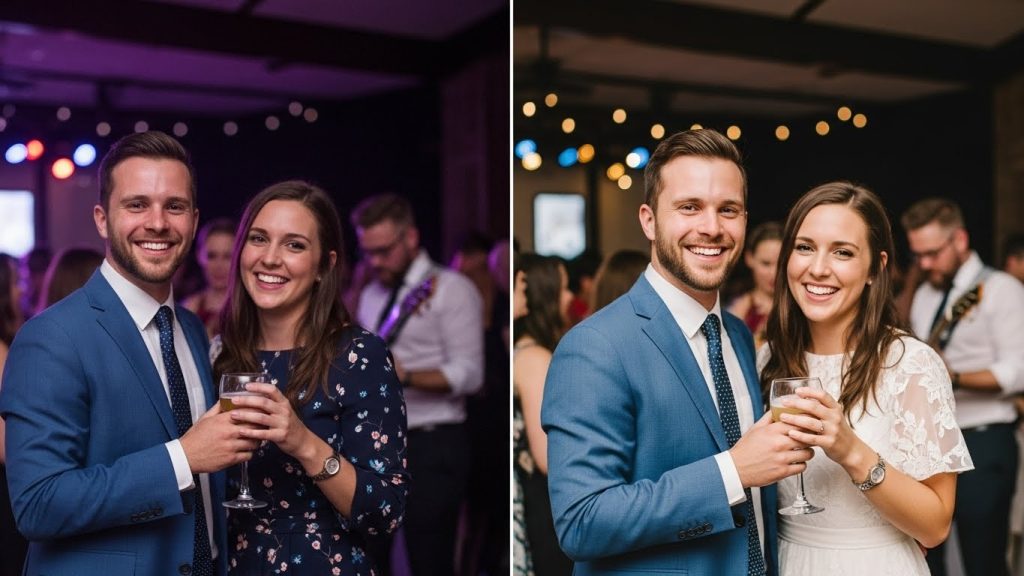
- The Tech: It doesn’t just blur the noise; it analyzes the raw data and reconstructs the details that should be there. It turned unusable ISO 12,800 photos into clean, printable images.
- Adaptive Presets: The AI can now automatically select the “Subject,” “Sky,” or “Background.” This allows me to apply a preset that darkens the sky and brightens the subject in a batch of 500 photos without manually brushing a single mask.
Phase 3: Resolution, Repair, and Upscaling
In a perfect world, clients would send us vector logos and RAW photos. In the real world, they send us 50kb JPEGs embedded in email signatures. The best AI tools for graphic design workflow must include restoration software.
Topaz Photo AI: The Restoration King
Topaz Labs has long been the leader here, and its Photo AI combines sharpening, noise reduction, and upscaling into a single autopilot step.
- Authenticity vs. Hallucination: Topaz focuses on “fidelity.” It tries to recover what is actually there using pixel data. This makes it safe for portraits where you don’t want the person’s face to change shape. I use this for print production constantly—taking a web-sized image and prepping it for a half-page magazine ad.
Magnific AI: The “Hallucination” Engine
Magnific is a newer entrant that works differently. It is a “re-imagining” upscaler. If you give it a blurry photo of a texture, it won’t just sharpen it; it will generate new texture details that look realistic.
- The Danger and the Power: You have to be careful. If you upscale a face with high “creativity” settings, it might change the person’s eye color or add wrinkles they don’t have.
- The Use Case: It is particularly effective for 3D renders or digital art that feels too smooth. Running a basic 3D render through Magnific adds “micro-contrast” and simulates skin pores or surface imperfections, making the image look photorealistic.
Vectorizer.ai
A simple, web-based tool that blows Adobe’s “Image Trace” out of the water. It uses AI to analyze a raster image (like a JPEG logo) and convert it to an SVG.
- Why it wins: Standard image tracing focuses on contrast, resulting in blobs. Vectorizer.ai seems to “understand” shapes. It recognizes that a circle should be a perfect circle, even if the JPEG has compression artifacts. For recovering lost client logos, this is an essential utility in the toolkit.
Phase 4: UI/UX and Structural Layout
Graphic design isn’t just about imagery; it’s about systems. AI is beginning to enter the world of Figma and web design, automating tedious aspects of wireframing.
Relume Library (for Figma & Webflow)
If you build websites, Relume is a game-changer. It uses AI to generate sitemaps and wireframes.
- The Workflow: You enter a prompt like “Portfolio site for a minimalist architect.” Relume generates a full sitemap (Home, Projects, About, Contact). Then, with a single click, it generates unstyled wireframes for those pages in Figma using a library of best-practice UI components.
- Efficiency: It saves the first 4-6 hours of a web project. You aren’t dragging rectangles for headers and footers anymore; you are starting with a functional skeleton and focusing on the UI styling.
Magician (Figma Plugin)
Created by Diagram, Magician lives inside Figma. It allows you to generate SVG icons, copywriting, and images directly on the canvas.
- Copywriting: One of the most underrated AI graphic design tools is actually a text tool. Using “Lorem Ipsum” is a bad practice because it doesn’t convey text density. Magician generates context-aware placeholder text (e.g., “headlines for a coffee shop app”) so your design reflects the actual content length.
Phase 5: The 3D and Motion Frontier
The barrier to entry for 3D design was once incredibly high. You needed to learn Blender or Cinema 4D, understand lighting physics, and have a powerful GPU. AI is democratizing depth.
Spline AI
Spline is a web-based 3D tool that feels like Figma for 3D. Their AI integration lets you generate scenes from text prompts.
- Prompting 3D: “A soft pink playful room with a floating chair.” Spline generates the mesh, the materials, and the lighting.
- Interactivity: Because it’s web-based, these assets are ready for web interaction. You can export code snippets to embed the 3D scene on a client’s website. It allows 2D graphic designers to offer “immersive web experiences” without learning code or complex modeling.
Runway Gen-2 & Sora (The Future of Motion)
While primarily a video tool, Runway is essential for the modern “motion graphics” designer. Static images are performing worse on social media.
- Motion Brush: This feature allows you to take a still image (perhaps one you generated in Midjourney or shot yourself), paint over a specific area (like water or smoke), and tell the AI to animate just that section.
- Cinemagraphs: I use this to turn static brand photos into subtle looping videos for Instagram Stories. It adds high production value with very little effort.
Phase 6: Local AI and Privacy (The Power User Option)
For agencies dealing with strict NDAs (Non-Disclosure Agreements), uploading client data to the cloud is a breach of contract. This is where Stable Diffusion comes in.
Stable Diffusion (Automatic1111 / ComfyUI)
Stable Diffusion is an open-source model you can run locally on your computer (provided you have a powerful NVIDIA graphics card).
- Privacy: No data leaves your machine. This is critical for pre-release product images or sensitive IP.
- ControlNet: This is the “killer app” of Stable Diffusion. ControlNet allows you to upload a reference image (like a rough sketch or a specific pose) and force the AI to adhere strictly to that structure.
- Example: I can upload a client’s logo, use it as a “depth map” input, and generate a photorealistic image in which the logo appears to be carved into a mountain or formed into latte art. The structure remains 100% accurate to the brand mark, but the texture is generative. No other cloud tool offers this level of geometric control.
Phase 7: The Ethical Elephant in the Room
We cannot discuss the best AI tools for graphic design workflow without addressing the massive ethical and legal implications. Ignoring this makes you a liability to your clients.
The Copyright Crisis
As of 2024, the US Copyright Office (USCO) has maintained that works created entirely by AI cannot be copyrighted because they lack human authorship.
- The Workflow Implication: You cannot sell a client a logo that came straight out of Midjourney. They will not be able to register a trademark for it. If a competitor steals it, your client has no legal recourse.
- The Hybrid Solution: Use AI for ideation, textures, or background elements. The core focal point—the character, the logo mark, the unique typography—must be human-made or significantly modified by a human.
Transparency and Trust
I have started adding an “AI Usage Policy” to my contracts.
- Disclosure: I tell clients, “We use AI for mood boarding, retouching, and non-essential background generation. We do not use AI for core brand intellectual property.”
- Bias: AI models are biased. If you ask for a “CEO,” it will likely give you a white man in a suit. As designers, we have a responsibility to be inclusive. We must actively prompt for diversity and curate the output to reflect the real world, rather than the dataset’s biased averages.
A Real-Life Case Study: The “Eco-Soda” Campaign
To visualize how these tools fit together, here is a breakdown of a workflow for a hypothetical 3-day project to launch a new organic soda.
Day 1: Concept & Strategy
- Input: Client brief asks for “Gen-Z appeal, Y2K aesthetic, organic vibes.”
- Tool: Midjourney v6. I run prompts for “Y2K liquid metal typography,” “organic fruit explosions,” and “gradient grain textures.”
- Output: 20 mood images. I curate them into a deck. Client picks “Direction B.”
Day 2: Asset Creation
- Input: We need the can to look like it’s sitting in a block of ice. We have a flat PDF of the label.
- Tool: Adobe Dimension (or Spline) to map the label onto a 3D cylinder.
- Tool: Krea.ai or Magnific. I use the basic 3D render as a reference. I prompt “soda can inside fractured ice block, cinematic lighting, water droplets.” The AI textures the simple 3D model to look photorealistic.
- Tool: Photoshop Generative Fill. The image is square, but we need a vertical 9:16 for TikTok. I use Generative Expand to build the top and bottom of the ice block.
Day 3: Layout & Handoff
- Tool: Illustrator. I create the typography overlay. I use Retype (Beta) to identify a font from a reference image the client liked.
- Tool: Topaz Photo AI. The final composite is a bit soft at print size. I upscale it 2x for the point-of-sale poster.
- Tool: Figma (Magician). I mock up the landing page, using AI to generate the placeholder copy for the “Flavor Profile” section.
Total Time: 12 hours.
Traditional Time: 30+ hours (mostly spent on 3D rendering times and stock photo hunting).
Conclusion: The Future belongs to the Hybrids
The anxiety surrounding AI graphic design tools is understandable. The barrier to entry for creating “pretty pictures” has collapsed. However, graphic design has never been just about making pretty pictures. It is about problem-solving, communication, and intentionality.
The tools listed above—Midjourney, Firefly, Topaz, Magnific, Vectorizer—are the new creative suite. They are not replacing the designer; they are replacing the technician. They are automating the keystrokes we used to do purely by muscle memory, freeing our brains to focus on the concept, the strategy, and the story.
The best designers of the next decade will not be the ones who can draw the straightest line, but the ones who can wield these powerful engines with taste and restraint. They will be the hybrids: part artist, part director, part tech-native.
My advice? Download the beta versions. Break things. Learn the limitations. The train has left the station, and the view from the window is spectacular if you are willing to keep your eyes open.