
I still remember the “content crisis” of 2018. I was managing social media for a mid-sized logistics company—arguably one of the least visually stimulating industries on the planet. My weekly directive was to produce seven unique Facebook posts. The budget for professional photography? Zero. The budget for stock photos? Minimal. I spent hours scouring free libraries, trying to find a picture of a shipping container that didn’t look depressing.
Fast forward to today, and the landscape of digital creativity has been razed and rebuilt. The introduction of generative AI has fundamentally altered the baseline for social media managers, creative directors, and small business owners. We are no longer limited by the photos we can afford to buy or the locations we have time to organize shoots. We are limited only by our vocabulary and our imagination.
However, this abundance brings a new kind of headache: analysis paralysis. There are hundreds of tools flooding the market, all promising to be the ultimate solution. Most are just cheap wrappers around the same underlying code.
As someone who has integrated these workflows into real agency environments and personal brand building, I’m going to walk you through the reality of AI tools for Facebook post images. This isn’t a list of features copied from product websites; this is a deep dive into what actually works when you need to get a post up at 2:00 PM on a Tuesday, and you need it to stop the scroll.
Part 1: The Philosophy of the “Stop-Scroll” in the AI Era
Before we touch a single tool, we have to understand the battlefield. Facebook is unique. Unlike Instagram, which is purely aesthetic, or LinkedIn, which is purely professional, Facebook is a chaotic mix of family photos, news links, memes, and ads.
To survive here, your imagery cannot look like a generic ad. The moment a user’s brain registers “stock photo,” their thumb flicks upward.
The irony of AI tools for Facebook post images is that while they allow us to create perfection, “perfection” is often the enemy of engagement. The glossy, hyper-smooth look of early AI generation is now a signal for “scroll past.” The most successful creators today are using these tools to generate images that feel textured, authentic, and sometimes intentionally imperfect.
We are moving from “content selection” to “content direction.” You are no longer searching for a needle in a haystack; you are building the needle.
Part 2: The Heavy Hitters (Text-to-Image Generators)
When you need an image created from scratch—a concept, a scene, a mascot—you need a foundation model. These are the powerhouses.
1. Midjourney: The Art Director’s Choice
If I could only take one tool to a deserted island (assuming that island had Wi-Fi), it would be Midjourney. In terms of lighting, composition, and texture, it is currently miles ahead of the competition.
The Facebook Application:
Midjourney excels at “mood.” If you are writing a long-form Facebook post about the struggle of entrepreneurship, you don’t want a clip-art lightbulb. You want a cinematic shot of a coffee shop table at midnight, with rain on the window and a glowing laptop screen. Midjourney nails this atmospheric quality.
My Workflow:
Midjourney primarily operates through Discord (though its web alpha is rolling out to power users), which scares some marketers off. Don’t let it. The learning curve is worth it.
- Aspect Ratio is King: Facebook has specific preferred dimensions. I use –ar 1.91:1 for link preview images and –ar 4:5 for vertical posts that take up more screen real estate on mobile.
- The “Raw” Parameter: To combat that shiny AI look, I almost always use –style raw. This strips away the default “prettifying” filters and gives you something more photographic and grounded.
Real-Life Example:
I recently helped a local bakery. We needed a shot of a “rustic sourdough loaf on a wooden table with flour dust.” Midjourney generated four options in 60 seconds. The lighting looked like a high-end editorial shoot. We added the client’s logo in Photoshop, posted it, and the comments were filled with people asking if the bread was fresh out of the oven. We didn’t lie and say it was a photo of that morning’s bread, but the image captured the brand’s feeling perfectly.
2. DALL-E 3 (via ChatGPT): The Instruction Follower
If Midjourney is the eccentric artist who makes beautiful things but ignores your specific instructions, DALL-E 3 is the literal-minded intern.
The Facebook Application:
Use DALL-E 3 when the image’s content is more important than its style. If you need a specific visual metaphor—like “a bear wearing a blue tie shaking hands with a robot”—DALL-E 3 will execute that prompt with high fidelity. It creates text within images much better than most competitors, making it decent for simple signs or labels, though I still recommend doing typography in a design tool.
The Caveat:
DALL-E images have a very distinctive “smoothness.” They look digital. To use AI tools for Facebook post images effectively here, you have to fight the model. I often prompt with phrases like “taken on 35mm film,” “grainy,” “motion blur,” and “harsh flash” to force DALL-E to stop making everything look like a Pixar movie.
3. Adobe Firefly: The Safe Harbor for Brands
For my corporate clients who have strict legal compliance departments, Adobe Firefly is the only option on the table. Adobe trained this model exclusively on its Adobe Stock library and public-domain content.
The Facebook Application:
The standout feature here is Structure Reference. Let’s say you have a winning Facebook post template—a product on the left, empty space on the right for text. You can upload that image to Firefly and say, “Generate a new scene with a perfume bottle using this structure.” It will adhere to your layout perfectly. This allows for brand consistency across a Facebook grid, which is notoriously hard to achieve with AI.
Part 3: The “All-in-One” Suites (Where Design Happens)
Generating an image is only step one. A raw image is not a Facebook post. It needs cropping, branding, headlines, and calls to action. This is where the integrated suites act as the bridge between raw AI and a publication-ready asset.
Canva Magic Studio
Canva has aggressively integrated AI tools for Facebook post images directly into its interface, and frankly, it’s a productivity miracle. I have cancelled subscriptions to other tools simply because Canva’s workflow is so seamless.
The “Magic Expand” Saver:
Here is a scenario every social media manager knows: You have a great photo of your team or product, but it’s vertical (9:16) because it was shot for a Story. Now you need to make a horizontal link post. In the past, you’d have to zoom in (losing quality) or add blurred bars on the sides (which look amateur).
With Magic Expand, you place the vertical photo on a horizontal canvas and click one button. The AI analyzes the scene and “outpaints” the rest of the room. It builds the rest of the table, the wall, the window—pixels that never existed. It works 90% of the time, and it saves meaningful minutes every single day.
Magic Edit:
I used this recently for a real estate client. We had a great photo of a living room, but an ugly, dated vase was on the mantle. Using Magic Edit, I brushed over the vase and typed “modern succulent plant.” Boom. The vase was gone, the plant was there, and the lighting matched perfectly.
Microsoft Designer
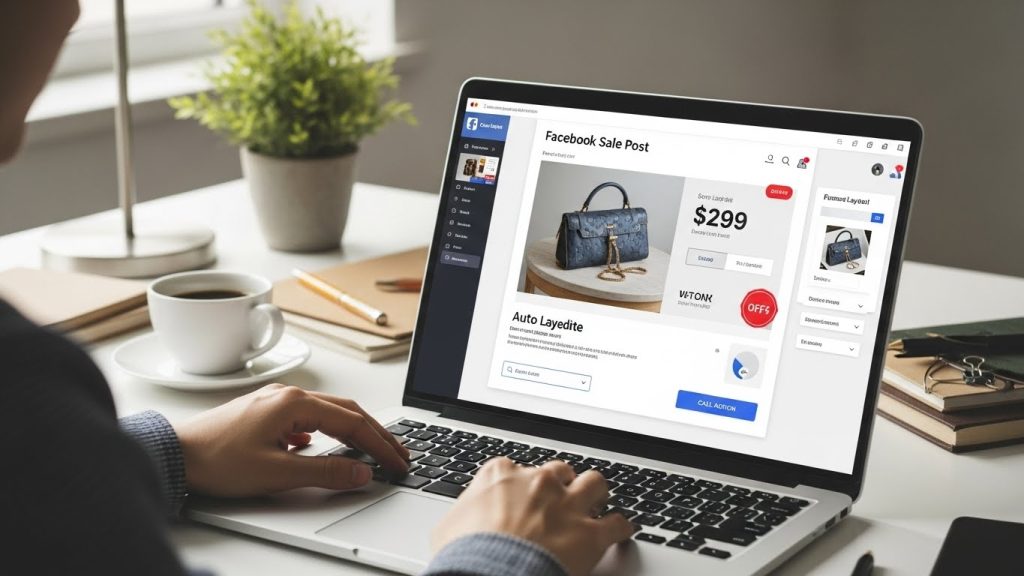
This is the sleeper hit of the year. It’s built on DALL-E 3 but optimized for design templates. If you are a small business owner with zero design sense, this is your tool. You can type “Facebook post about a 50% off sale for a shoe store,” and it won’t just give you an image of a shoe; it will give you a fully laid-out graphic with text, a button, and a price tag. It’s not always award-winning design, but it is functional and fast.
Part 4: The Polishers (Upscaling and Cleanup)
Facebook’s compression algorithm is brutal. You can upload a 4K image, and Facebook will compress it, often introducing artifacts. If you start with low-quality AI-generated content, the end result on a user’s phone will look like a blurry mess.
Magnific AI / Topaz Photo AI
These are what we call “Upscalers” or “Hallucinators.”
Standard upscaling just makes pixels bigger. AI upscaling actually looks at a blurry patch of pixels, recognizes it as an “eyelash,” and redraws a sharp eyelash.
I use these tools on almost every Midjourney generation that features a human face. AI generators often mess up eyes or skin texture, giving people a “waxy” look. Running a generation through an upscaler at 50% strength adds skin pores, sharpens the iris, and fixes hair strands. This is the secret sauce that makes people ask, “Wait, is this real?”
Cleanup.pictures / Magic Eraser
Sometimes the best AI tool is the one that removes things. Authenticity performs well on Facebook, so real photos of your team or office are gold. But real offices are messy.
I use inpainting tools to scrub out confidential papers on desks, coffee stains on shirts, or random power cords snaking across the floor. It creates a polished professional image without losing the authenticity of a real photograph.
Part 5: Crafting the Perfect Facebook Prompt
The tool is only as good as the user. “Prompt Engineering” sounds like a buzzword, but it’s really just about communication. When creating AI tools for Facebook post images, you need to speak the language of photography.
Here is the formula I use for Facebook-specific imagery:
[Subject] + [Action/Context] + [Environment] + [Lighting/Mood] + [Technical Specs]
Bad Prompt:
“A happy woman working on a laptop.”
Result: A terrifyingly generic stock photo of a woman with too many teeth smiling at a blank screen.
Good Prompt:
“A candid shot of a freelance graphic designer working on a laptop in a busy, sunlit co-working space, coffee cup on desk, messy creative workspace, afternoon golden hour lighting, shot on 35mm lens, f/1.8, depth of field, photorealistic, authentic texture.”
Why this works:
- “Candid”: Tells the AI not to have the subject look at the camera.
- “Messy creative workspace”: Adds clutter, which signals reality to the human brain.
- “f/1.8, depth of field”: Blurs the background, making the subject pop and covering up any AI weirdness in the distance.
Part 6: The Marketer’s Edge – High-Velocity A/B Testing
This is where we move from “making pretty pictures” to “making money.” In the traditional marketing world, A/B testing visuals is expensive. If you want to test whether your audience prefers a product shot on a blue background versus a yellow background, you usually have to pay a photographer to shoot both, or pay a retoucher to edit them.
With AI tools for Facebook post images, the cost of variation drops to zero. This allows for what I call “High-Velocity Creative Testing.”
The Strategy:
When I set up a Facebook Ad campaign or even organic engagement bait, I rarely generate just one image. I use the “Permutation” method.
Let’s say I’m promoting a travel agency deal for Japan.
- Variation A: A serene, empty temple garden (generated via Midjourney).
- Variation B: A busy, neon-lit street in Tokyo with rain reflections (generated via Midjourney).
- Variation C: A close-up of sushi being prepared (generated via Midjourney).
It took me three minutes to generate these three distinct angles. I post all three over two weeks (or run them as a dynamic ad set). The data usually surprises me. I might think the neon street scene is the “coolest” image, but the data often shows the sushi close-up gets 3x the clicks.
The Lesson:
Don’t use AI to create a single perfect image. Use it to make five diverse approaches to the same concept. You are no longer guessing what your Facebook audience wants; you are throwing a wide net and letting the data decide. This is the single biggest ROI activity you can do with generative tools.
Part 6.5: Ethical Considerations and The Trust Factor
We have to address the elephant in the room. Using AI carries responsibilities.
1. The Copyright Void:
As of the current legal standing in the US and many other jurisdictions, you cannot copyright an image generated purely by AI. If you generate a brand mascot with Midjourney, a competitor can technically use that image. This is why, for core brand assets (logos, official mascots), I still strictly advise hiring human designers. Use AI for ephemeral content—the daily posts, blog headers, and quote backgrounds.
2. The Authenticity Trap:
Do not use AI to fake results. If you are a gym, do not generate AI “after” photos of fit people. If you are a construction company, do not generate AI images of completed houses you didn’t build. That is false advertising.
However, using AI to visualize a concept is fine. If you sell insurance, creating an AI image of a “storm brewing over a house” to illustrate risk is perfectly ethical marketing.
3. Transparency:
You don’t need to put a watermark on every meme, but generally, honesty builds trust. If someone comments, “Wow, great photo!” on an AI-generated image, I usually reply, “We had fun creating this concept with our digital tools!” It acknowledges the craft without misleading the audience.
Part 7: Workflow Integration (A Day in the Life)
How does this actually look in a workable schedule? Here is a breakdown of how I produced a week’s worth of content for a client in about two hours last Tuesday.
Step 1: Ideation (15 mins)
I looked at the content calendar. We needed three educational posts, one inspirational quote, and one product highlight.
Step 2: Asset Generation (45 mins)
- For the educational posts, I used DALL-E 3 to create simple, flat-lay illustrations of the concepts (e.g., “financial balance scales”).
- For the inspirational quote, I used Midjourney to create a textural background—a misty mountain top at sunrise, lots of negative space.
- For the product highlight, I took a real (but poorly lit) photo of the product, brought it into Canva, used Magic Edit to fix the lighting, and Magic Expand to make it fit the Facebook horizontal aspect ratio.
Step 3: Assembly & Text (45 mins)
I moved everything into Canva. I added the client’s fonts, their logo, and the copy overlays. Because I had generated the images with “negative space” in mind (prompting for empty areas), the text fit naturally without covering important elements.
Step 4: Review and Polish (15 mins)
I zoomed in to check for AI artifacts. I noticed one of the flat-lay illustrations had a pen with two tips. I used the Canva Magic Eraser to remove the extra tip.
Total Time: 2 hours.
Old Workflow Time: Likely 6-8 hours of searching stock sites and heavy Photoshop work.

Part 8: The Future of Facebook Visuals
We are already seeing the next wave: Video. Tools like Runway (Gen-2) and Pika Labs are doing for video what Midjourney did for images. Currently, they are creating short, 4-second clips that are perfect for Facebook Reels or motion backgrounds.
Imagine a static image of water; now imagine that water rippling. That small motion captures attention in the feed. This is where I am currently investing my learning time. The ability to turn a static AI image into a subtle motion video will be the standard for high-performing Facebook posts by next year.
Part 8.5: From Static to Kinetic – The “Motion” Revolution
We need to address a harsh reality: Facebook’s algorithm is currently obsessed with Reels and video content. Static images, no matter how beautiful, are fighting an uphill battle for reach.
However, not every brand has the budget or time to film video content. This is where a new breed of AI tools bridges the gap. I’m talking about “Image-to-Video” generators like Runway Gen-2, Pika Labs, and LeiaPix.
The “Cinemagraph” Technique:
You don’t need to generate a full movie. You just need to stop the thumb. I recently took a static AI-generated image of a campfire (created in Midjourney) and ran it through Runway Gen-2 with a simple prompt: “Smoke rising, fire flickering, subtle motion.”
The tool didn’t change the composition; it just animated the flames. I exported this as an MP4 and uploaded it to Facebook. Because it was technically a video file, Facebook’s algorithm pushed it to a wider audience than a static photo would have. It looped seamlessly.
LeiaPix for Depth:
If Runway feels too complex, look at LeiaPix. You upload a static 2D image, and the AI generates a “depth map.” It then adds a slow, 3D “Ken Burns”- style camera movement, making the image appear to have parallax depth. It turns a flat graphic into an immersive window.
Why this matters for Facebook:
The human eye is evolutionarily hardwired to notice movement. A subtle sway of trees or a camera pan in a newsfeed full of static blocks will catch attention every time. Using AI tools to generate base images for Facebook posts, and then motion tools to bring them to life, is the current “cheat code” for organic reach.
Conclusion: The Human Element Remains
The most important tool in this entire stack is still your eye.
AI can generate a thousand images in an hour, but it cannot tell you which one will resonate with an exhausted mother scrolling Facebook at 10 PM. It cannot tell you if a color palette feels “off” for your brand’s voice.
These AI tools for Facebook post images are not replacements for creativity; they are multipliers for it. They remove the technical barrier of “I can’t draw” or “I can’t afford a photographer,” leaving you with the pure challenge of “What do I want to say?”
If you approach these tools with curiosity and a commitment to quality—refusing to accept the default, plastic output—you can build a Facebook presence that looks like a Fortune 500 brand on a startup budget. But if you get lazy, your audience will know.
The algorithm rewards engagement, but humans reward authenticity. Use the machines to handle the pixels, but keep the strategy, the humor, and the empathy strictly human.