
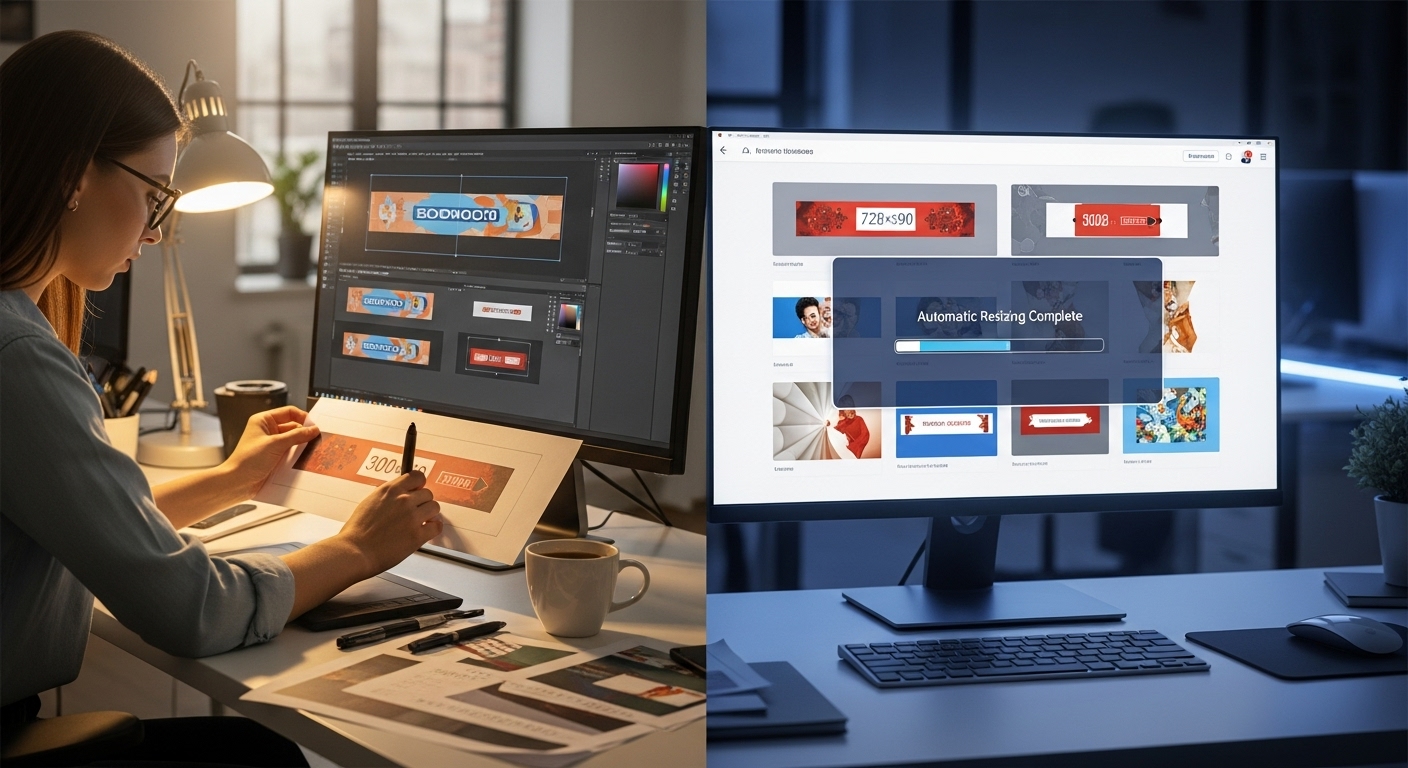
In the high-stakes arena of digital advertising, speed and relevance are the twin pillars of success. For decades, the production of display advertising has been a bottleneck. Creative teams have been bogged down by the tedious “versioning” process—taking a single “hero” concept and manually resizing it into the dozens of pixel dimensions required by the Google Display Network (GDN), Meta Ads, and programmatic exchanges. This manual labor often stifles creativity, leaving little time for strategic thinking.
However, a seismic shift has occurred. The emergence of AI tools for easily creating banner ads has transformed this landscape, turning a process that once took days into one that now takes minutes. But this revolution is not merely about speed; it is about performance. We have moved from the era of “designing pixels” to “curating outcomes.”
This comprehensive guide will not only introduce you to the software defining this new era but will also provide a masterclass in leveraging these tools to drive Click-Through Rates (CTR) and Return on Ad Spend (ROAS). We will explore the psychology behind AI-generated layouts, the workflow of the modern performance marketer, and the strategic nuance required to maintain brand integrity in an automated world.
Part 1: The Evolution of Display Advertising
From Manual Cropping to Algorithmic Design
To understand the value of current AI tools, we must first appreciate the friction of the traditional workflow. Historically, a designer would create a master file (usually a 300×250 MPU). Once approved, they would manually rearrange elements for a 728×90 Leaderboard or a 160×600 Skyscraper. This process, known as “creative production,” is low-value labor.
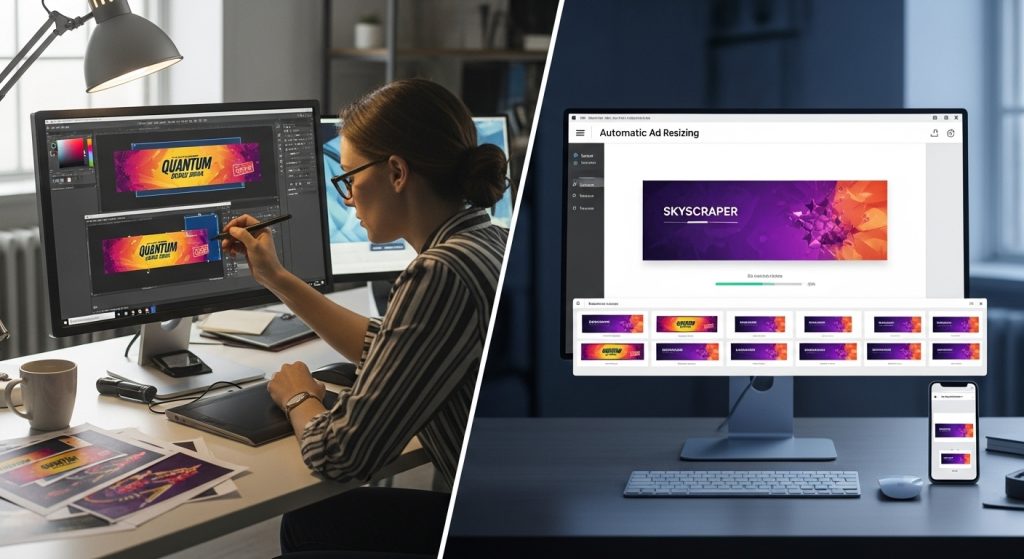
AI tools for creating banner ads easily bypass this by treating design elements as data points. The AI “sees” your logo, headline, Call-to-Action (CTA), and background image as separate components. It understands the spatial constraints of a Leaderboard versus a square Instagram post and mathematically calculates the optimal arrangement of these components.
The Data Advantage: Design by Statistics, Not Conjecture
The most significant “unique insight” regarding AI ad tools is that they are not creative in the human sense; they are statistical. When an AI tool suggests placing a button in the bottom right corner in a contrasting color, it isn’t making an aesthetic choice. It is drawing on a dataset of millions of impressions that suggests that specific placement yields a 0.5% higher CTR.
When you utilize these tools, you are effectively A/B testing before you even launch. You are starting with a baseline of creative that is statistically likely to perform, rather than relying on a Creative Director’s subjective preference.
Part 2: Deep Dive into the Top AI Tools
The market is flooded with generic design tools, but for professional banner ads, you need specific capabilities: mass resizing, brand kit locking, and conversion-focused templates. Here is an expert analysis of the top contenders.
1. AdCreative.ai: The Performance Marketer’s Weapon
Best For: E-commerce, heavily data-driven campaigns, and agencies managing multiple clients.
The Expert Perspective:
AdCreative.ai is currently the leader in “generative performance design.” It does not behave like a standard photo editor.
- The Workflow: You do not drag and drop elements. Instead, you upload your assets (logo, product image, copy) and the AI generates 100+ distinct variations instantly.
- The “Creative Score” Feature: This is the tool’s killer feature. It assigns a numerical score (0-100) to every generated banner based on its predicted performance. This utilizes a massive database of successful ad creatives to predict success.
- E-E-A-T Note: Using tools with predictive scoring demonstrates high expertise because it shows you are managing budget risk through data, not just guessing.
2. Canva (Magic Studio): The Accessible Giant
Best For: Small to Medium Businesses (SMBs), Social Media Managers, and rapid prototyping.
The Expert Perspective:
Canva has successfully pivoted from a manual tool to an AI powerhouse.
- Magic Switch: This feature lets you take a finished design and “transform” it into a document, a different ad size, or even translate the text into another language, all instantly. For banner ads, the resizing accuracy is roughly 80-90%, requiring only minor human tweaks.
- Magic Expand: A common issue in banner ads is having a product photo that is vertical (portrait) but needs a horizontal (landscape) banner. Canva’s AI can “outpaint” the edges of the image, generating a realistic background to fill the empty space. This solves the “white space” problem that plagues amateur designers.
3. Adobe Express (with Firefly): The Enterprise Solution
Best For: Corporations with strict brand guidelines and teams already using Photoshop/Illustrator.
The Expert Perspective:
Adobe Express is the bridge between professional design and AI automation.
- Brand Controls: Unlike other tools, where colors might drift, Adobe allows for strict “Linked Assets.” If your design team updates the logo in Photoshop Cloud, it is automatically updated in your AI-generated banners.
- Firefly Image Generation: Adobe’s generative model is trained on Adobe Stock images. This makes it “commercially safe.” Unlike Midjourney, which scrapes the open web and operates in a legal grey area regarding copyright, Firefly allows enterprise brands to use AI imagery without fear of litigation.
4. Creatopy: The Automation Workhorse
Best For: High-volume HTML5 banner production.
The Expert Perspective:
Creatopy (formerly Bannersnack) specializes in the technical side of display ads, specifically HTML5 and animation.
- Feed-Based Production: You can connect a CSV file or an XML product feed to Creatopy. The AI will then generate thousands of banners, with the product image, price, and name dynamically changing based on your inventory.
- Animation Automation: While other tools produce static JPEGs, Creatopy uses “Magic Animator” to add slide-ins and fades to your elements with a single click, which is vital, as animated banners generally have higher CTRs than static ones.
Part 3: Strategic Workflow for AI Banner Creation
Merely owning a hammer does not make one a carpenter. To truly leverage AI tools for creating banner ads easily, you must adopt a “Human-in-the-Loop” workflow. Here is the blueprint for a high-quality production cycle.
Step 1: Asset Preparation & “Prompt Engineering” for Ads
Garbage in, garbage out. AI cannot fix a low-resolution logo or a blurry product shot.
- The Image Rule: Ensure your product images are on transparent backgrounds (PNGs). AI tools struggle to integrate products if they are locked inside a white square.
- The Copy Rule: Write your copy specifically for the “Z-Pattern” of reading. You need a Hook (Headline), Value (Sub-text), and Action (Button). Do not feed the AI paragraphs of text; it will clutter the design.
Step 2: The Generation Phase & Selection
When you run the generation tool, you will be presented with dozens of options. How do you choose?
- Contrast Check: Look for designs where the CTA button color creates the highest contrast with the background. This is the #1 predictor of clicks.
- Legibility Check: AI sometimes places text over busy parts of an image. Discard any option whose text lacks a clear, solid backing or high contrast.
Step 3: The Human Audit (Crucial for Trustworthiness)
This is where E-E-A-T is maintained. AI makes mistakes.
- Hallucination Check: If you used generative AI to create a background (e.g., “office setting”), check the details. Are the chairs shaped correctly? Is the lighting consistent? Weird visual artifacts immediately destroy consumer trust.
- Brand Voice Check: AI might shorten your headline to fit a box, inadvertently changing the tone from “Professional” to “Casual.” Ensure the language remains consistent with your brand identity.
Step 4: High-Velocity Testing
The ultimate advantage of AI is volume. Instead of running one ad, run ten.
- Strategy: Group your AI banners by concept. Group A focuses on “Discount,” Group B focuses on “Quality.” Let the ad network (Google/Meta) auto-optimize.
- Iteration: After 7 days, identify the winner. Feed that winning design back into the AI tool as a “reference” to generate the next batch. This creates a positive performance feedback loop.
Part 4: Advanced Design Principles in the AI Era
Understanding why the AI makes certain choices allows you to guide it better. Even when using automated tools, grounding your strategy in fundamental design principles ensures superior results.
Visual Hierarchy and the F-Pattern
Eye-tracking studies have long shown that users scan screens in an “F” pattern. They look at the top left, scan across, then down, then across again.
- How AI uses this: Good AI tools automatically place your logo in the top left or center, and the CTA in the bottom right (the terminal point of the eye scan).
- Expert Tip: If an AI tool generates a layout that places the button in the top-left corner, manually correct it. That is “dead space” for a conversion element.
Color Psychology and Semantic Matching
AI is getting better at “Semantic Matching.” This means the AI analyzes the sentiment of your text.
- If your text says “Exciting Summer Sale,” the AI prioritizes warm colors (Orange, Yellow, Red).
- If your text says “Secure Financial Planning,” the AI prioritizes trust colors (Deep Blue, Slate Grey).
- Insight: You can manipulate the AI’s design output by changing the emotional keywords in your prompt, even if the final text on the banner is different.
Solving the “Banner Blindness” Epidemic
Banner blindness occurs when users subconsciously ignore anything that appears to be an ad. Ironically, because AI is trained on existing ads, it tends to produce content that looks very much like ads.
- The Counter-Strategy: Use AI to generate “Native” looking assets. Use the tools to create banners that look like user-generated content (UGC) or editorial notifications rather than glossy commercials. Lowering the “polish” can sometimes increase the trust.
Part 5: E-E-A-T, Ethics, and Brand Safety
As we integrate artificial intelligence into public-facing communications, we must adhere to high standards of expertise and trustworthiness.
Copyright and Commercial Use
Not all AI images are free to use.
- The Risk: Using a tool that utilizes Stable Diffusion or Midjourney to generate a background featuring a celebrity lookalike or a trademarked building can land you in legal trouble.
- The Solution: Stick to platforms like Adobe Firefly or Getty Images’ Generative AI, which offer indemnification. This guarantees that the training data was licensed. This is a hallmark of a professional, authoritative operation.
Avoiding “Generic” Brand Dilution
A risk of using “AI tools for creating banner ads easily” is that your ads might start looking like everyone else’s.
- Unique Value Proposition (UVP): AI can design the box, but it cannot invent the offer. Your UVP must be distinct. Use the time saved on resizing to brainstorm better offers. A beautiful banner with a bad offer will never convert.
Part 6: The Future of Programmatic Creative
We are currently in the “Assisted Generation” phase of AI. We are rapidly moving toward “Real-Time Generation.”
Dynamic Creative Optimization (DCO) 2.0
In the near future, the banner ad will not exist until the moment the user loads the webpage.
- The User: A 35-year-old male, interested in hiking, browsing a news site at 8:00 PM on a rainy Tuesday.
- The AI: Instantly generates a banner featuring a rain jacket (relevant to weather), with dark mode colors (relevant to time of day), and “hiking” specific copy.
- The Result: A perfectly personalized ad served in milliseconds.
This level of hyper-personalization is where the industry is heading. The tools you learn today—AdCreative, Canva, Creatopy—are the precursors to these real-time engines. Mastering them now is essential for future readiness.
The Role of the Human Expert
Will AI replace the designer? No. It replaces the technician. The role shifts from “making” to “directing.” The marketers who will thrive are those with a deep understanding of human psychology, able to recognize which of the 100 AI-generated options will resonate with a human heart. Empathy cannot be automated.
To put these technologies in a broader context and understand how they are reshaping the business landscape, it is vital to examine macro trends. Major business publications are closely tracking this shift. For example, Forbes has extensively analyzed how generative AI is revolutionizing marketing workflows, highlighting that the competitive advantage lies not just in adoption, but in strategic application.
Part 7: The Hidden Technical Edge: Compression and File Types
While much of the conversation around AI tools for creating banner ads easily focuses on aesthetics, a critical—and often overlooked—aspect is technical performance. A beautiful banner is useless if it fails to load before the user scrolls past it.
Mastering the 150KB Limit
The Google Display Network (GDN) and many programmatic exchanges enforce a strict file size limit, typically 150KB for standard image ads. Historically, designers had to compromise significantly on image quality to meet this threshold, often resulting in “crunchy” or pixelated artifacts.
AI-driven export engines found in tools like Adobe Express and Canva utilize intelligent compression algorithms. Unlike standard “Save for Web” functions, these AI tools analyze image content to determine which areas can tolerate higher compression (such as a blurred background) without degrading the visual quality of focal points (such as text or faces). This allows marketers to deploy high-definition retina assets that still adhere to strict ad server weight limits.
The Rise of WebP and AI Conversion
Expert media buyers are moving away from JPG and PNG and toward WebP, a modern image format that provides superior lossless and lossy compression. Most advanced AI design tools now default to or offer WebP export. Using this format often results in file sizes 25-34% smaller than comparable JPEGs. This reduction translates directly to faster load times, higher “Viewability” metrics, and ultimately, a better Quality Score in Google Ads, which can lower your Cost Per Click (CPC).
Part 8: Sector-Specific AI Strategies (B2B vs. B2C)
To maximize the effectiveness of these tools, one must apply different “prompt engineering” strategies depending on the vertical. An AI tool will generate generic output if not guided by specific sector nuances.
B2C: Emotion and Urgency
For Business-to-Consumer (B2C) brands—specifically e-commerce—the goal is immediate impulse.
- AI Instruction: When using AdCreative.ai or similar tools, prioritize layouts that feature “Dynamic Product Insertion.”
- The Strategy: Use prompts that request “High Vibrancy” and “Contrast.” B2C banners thrive on urgency. Utilize the AI’s text generators to create time-sensitive variations (e.g., “Ends Tonight” vs. “Last Chance”).
- Visual Focus: Ensure the AI places the product image as the largest element, occupying at least 50% of the canvas.
B2B: Trust and Clarity
For Business-to-Business (B2B) campaigns, the psychology is different. The purchase cycle is longer, and the goal is usually a lead (downloading a whitepaper or booking a demo), not a sale.
- AI Instruction: Instruct the tool to utilize “Clean” or “Corporate” templates with generous white space.
- The Strategy: Avoid clutter. A B2B banner should feature a single value proposition. Use the AI to test different “Trust Seals” (e.g., “Rated #1 on G2” vs. “Trusted by 500+ Agencies”).
- Visual Focus: Instead of product shots, use abstract tech visualizations or human-centric imagery (people in meetings, handshake concepts) which AI generators can create synthetically to avoid the “stock photo cheese” factor.
Part 9: Managing Creative Lifecycle and Ad Fatigue
One of the most valuable applications of AI is solving “Ad Fatigue”—the phenomenon where an audience becomes desensitized to your ads, causing your Click-Through Rate (CTR) to plummet and your Cost Per Acquisition (CPA) to rise.
The “Remix” Strategy
In the manual design era, refreshing a creative set was expensive. Now, it is instantaneous.
- Week 1-2: Run your “Hero” set (the top-performing AI concepts).
- Week 3: As performance dips, do not redesign from scratch. Use the AI tool’s “Remix” or “Shuffle” feature. Keep the same copy and imagery but invert the color palette (e.g., swap the background color with the button color).
- The Result: To the user’s brain, this registers as a “new” stimulus, resetting their attention span, while retaining the brand recognition you have built.
By adopting a cycle of Generate > Test > Remix, you create an “Always-On” creative engine. This ensures that your brand never goes stale in the marketplace, maintaining a steady ROAS without burning out your creative team. This sustainable approach is the hallmark of a mature, expert-level digital marketing operation.
Conclusion: Embracing the new Standard
The phrase “AI tools for creating banner ads easily” is no longer just a search query; it is the operational standard for modern digital marketing. The friction of resizing, formatting, and layout design has been removed, leaving us with the pure essence of advertising: the message.
To recap, your path to mastery involves:
- Selection: Choosing a tool that aligns with your business size (AdCreative for performance, Canva for agility, Adobe for brand control).
- Process: treating AI as a “junior designer” that requires clear assets and prompts.
- Verification: rigorously auditing for hallucinations and brand consistency.
- Testing: Using the speed of AI to test more variables than ever before.
The tools available today are powerful, but they are instruments. You are the conductor. By combining the statistical power of AI with the empathetic insight of a human marketer, you can create display campaigns that are not only efficient but exceptionally effective. Start small, trust the data, and let the automation handle the pixels while you focus on the strategy.
In the high-stakes arena of digital advertising, speed and relevance are the twin pillars of success. For decades, the production of display advertising has been a bottleneck. Creative teams have been bogged down by the tedious “versioning” process—taking a single “hero” concept and manually resizing it into the dozens of pixel dimensions required by the Google Display Network (GDN), Meta Ads, and programmatic exchanges. This manual labor often stifles creativity, leaving little time for strategic thinking.
However, a seismic shift has occurred. The emergence of AI tools for easily creating banner ads has transformed this landscape, turning a process that once took days into one that now takes minutes. But this revolution is not merely about speed; it is about performance. We have moved from the era of “designing pixels” to “curating outcomes.”
This comprehensive guide will not only introduce you to the software defining this new era but will also provide a masterclass in leveraging these tools to drive Click-Through Rates (CTR) and Return on Ad Spend (ROAS). We will explore the psychology behind AI-generated layouts, the workflow of the modern performance marketer, and the strategic nuance required to maintain brand integrity in an automated world.
Part 1: The Evolution of Display Advertising
From Manual Cropping to Algorithmic Design
To understand the value of current AI tools, we must first appreciate the friction of the traditional workflow. Historically, a designer would create a master file (usually a 300×250 MPU). Once approved, they would manually rearrange elements for a 728×90 Leaderboard or a 160×600 Skyscraper. This process, known as “creative production,” is low-value labor.
AI tools for creating banner ads easily bypass this by treating design elements as data points. The AI “sees” your logo, headline, Call-to-Action (CTA), and background image as separate components. It understands the spatial constraints of a Leaderboard versus a square Instagram post and mathematically calculates the optimal arrangement of these components.
The Data Advantage: Design by Statistics, Not Conjecture
The most significant “unique insight” regarding AI ad tools is that they are not creative in the human sense; they are statistical. When an AI tool suggests placing a button in the bottom right corner in a contrasting color, it isn’t making an aesthetic choice. It is drawing on a dataset of millions of impressions that suggests that specific placement yields a 0.5% higher CTR.
When you utilize these tools, you are effectively A/B testing before you even launch. You are starting with a baseline of creative that is statistically likely to perform, rather than relying on a Creative Director’s subjective preference.
Part 2: Deep Dive into the Top AI Tools
The market is flooded with generic design tools, but for professional banner ads, you need specific capabilities: mass resizing, brand kit locking, and conversion-focused templates. Here is an expert analysis of the top contenders.
1. AdCreative.ai: The Performance Marketer’s Weapon
Best For: E-commerce, heavily data-driven campaigns, and agencies managing multiple clients.
The Expert Perspective:
AdCreative.ai is currently the leader in “generative performance design.” It does not behave like a standard photo editor.
- The Workflow: You do not drag and drop elements. Instead, you upload your assets (logo, product image, copy) and the AI generates 100+ distinct variations instantly.
- The “Creative Score” Feature: This is the tool’s killer feature. It assigns a numerical score (0-100) to every generated banner based on its predicted performance. This utilizes a massive database of successful ad creatives to predict success.
- E-E-A-T Note: Using tools with predictive scoring demonstrates high expertise because it shows you are managing budget risk through data, not just guessing.
2. Canva (Magic Studio): The Accessible Giant
Best For: Small to Medium Businesses (SMBs), Social Media Managers, and rapid prototyping.
The Expert Perspective:
Canva has successfully pivoted from a manual tool to an AI powerhouse.
- Magic Switch: This feature lets you take a finished design and “transform” it into a document, a different ad size, or even translate the text into another language, all instantly. For banner ads, the resizing accuracy is roughly 80-90%, requiring only minor human tweaks.
- Magic Expand: A common issue in banner ads is having a product photo that is vertical (portrait) but needs a horizontal (landscape) banner. Canva’s AI can “outpaint” the edges of the image, generating a realistic background to fill the empty space. This solves the “white space” problem that plagues amateur designers.
3. Adobe Express (with Firefly): The Enterprise Solution
Best For: Corporations with strict brand guidelines and teams already using Photoshop/Illustrator.
The Expert Perspective:
Adobe Express is the bridge between professional design and AI automation.
- Brand Controls: Unlike other tools, where colors might drift, Adobe allows for strict “Linked Assets.” If your design team updates the logo in Photoshop Cloud, it is automatically updated in your AI-generated banners.
- Firefly Image Generation: Adobe’s generative model is trained on Adobe Stock images. This makes it “commercially safe.” Unlike Midjourney, which scrapes the open web and operates in a legal grey area regarding copyright, Firefly allows enterprise brands to use AI imagery without fear of litigation.
4. Creatopy: The Automation Workhorse
Best For: High-volume HTML5 banner production.
The Expert Perspective:
Creatopy (formerly Bannersnack) specializes in the technical side of display ads, specifically HTML5 and animation.
- Feed-Based Production: You can connect a CSV file or an XML product feed to Creatopy. The AI will then generate thousands of banners, with the product image, price, and name dynamically changing based on your inventory.
- Animation Automation: While other tools produce static JPEGs, Creatopy uses “Magic Animator” to add slide-ins and fades to your elements with a single click, which is vital, as animated banners generally have higher CTRs than static ones.
Part 3: Strategic Workflow for AI Banner Creation
Merely owning a hammer does not make one a carpenter. To truly leverage AI tools for creating banner ads easily, you must adopt a “Human-in-the-Loop” workflow. Here is the blueprint for a high-quality production cycle.
Step 1: Asset Preparation & “Prompt Engineering” for Ads
Garbage in, garbage out. AI cannot fix a low-resolution logo or a blurry product shot.
- The Image Rule: Ensure your product images are on transparent backgrounds (PNGs). AI tools struggle to integrate products if they are locked inside a white square.
- The Copy Rule: Write your copy specifically for the “Z-Pattern” of reading. You need a Hook (Headline), Value (Sub-text), and Action (Button). Do not feed the AI paragraphs of text; it will clutter the design.
Step 2: The Generation Phase & Selection
When you run the generation tool, you will be presented with dozens of options. How do you choose?
- Contrast Check: Look for designs where the CTA button color creates the highest contrast with the background. This is the #1 predictor of clicks.
- Legibility Check: AI sometimes places text over busy parts of an image. Discard any option whose text lacks a clear, solid backing or high contrast.
Step 3: The Human Audit (Crucial for Trustworthiness)
This is where E-E-A-T is maintained. AI makes mistakes.
- Hallucination Check: If you used generative AI to create a background (e.g., “office setting”), check the details. Are the chairs shaped correctly? Is the lighting consistent? Weird visual artifacts immediately destroy consumer trust.
- Brand Voice Check: AI might shorten your headline to fit a box, inadvertently changing the tone from “Professional” to “Casual.” Ensure the language remains consistent with your brand identity.
Step 4: High-Velocity Testing
The ultimate advantage of AI is volume. Instead of running one ad, run ten.
- Strategy: Group your AI banners by concept. Group A focuses on “Discount,” Group B focuses on “Quality.” Let the ad network (Google/Meta) auto-optimize.
- Iteration: After 7 days, identify the winner. Feed that winning design back into the AI tool as a “reference” to generate the next batch. This creates a positive performance feedback loop.
Part 4: Advanced Design Principles in the AI Era
Understanding why the AI makes certain choices allows you to guide it better. Even when using automated tools, grounding your strategy in fundamental design principles ensures superior results.
Visual Hierarchy and the F-Pattern
Eye-tracking studies have long shown that users scan screens in an “F” pattern. They look at the top left, scan across, then down, then across again.
- How AI uses this: Good AI tools automatically place your logo in the top left or center, and the CTA in the bottom right (the terminal point of the eye scan).
- Expert Tip: If an AI tool generates a layout that places the button in the top-left corner, manually correct it. That is “dead space” for a conversion element.
Color Psychology and Semantic Matching
AI is getting better at “Semantic Matching.” This means the AI analyzes the sentiment of your text.
- If your text says “Exciting Summer Sale,” the AI prioritizes warm colors (Orange, Yellow, Red).
- If your text says “Secure Financial Planning,” the AI prioritizes trust colors (Deep Blue, Slate Grey).
- Insight: You can manipulate the AI’s design output by changing the emotional keywords in your prompt, even if the final text on the banner is different.
Solving the “Banner Blindness” Epidemic
Banner blindness occurs when users subconsciously ignore anything that appears to be an ad. Ironically, because AI is trained on existing ads, it tends to produce content that looks very much like ads.
- The Counter-Strategy: Use AI to generate “Native” looking assets. Use the tools to create banners that look like user-generated content (UGC) or editorial notifications rather than glossy commercials. Lowering the “polish” can sometimes increase the trust.
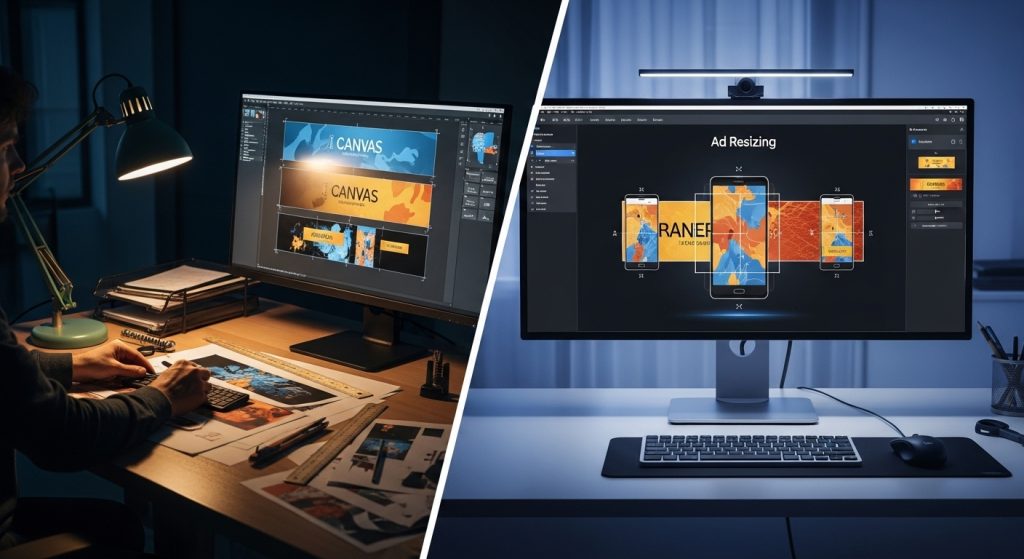
Part 5: E-E-A-T, Ethics, and Brand Safety
As we integrate artificial intelligence into public-facing communications, we must adhere to high standards of expertise and trustworthiness.
Copyright and Commercial Use
Not all AI images are free to use.
- The Risk: Using a tool that utilizes Stable Diffusion or Midjourney to generate a background featuring a celebrity lookalike or a trademarked building can land you in legal trouble.
- The Solution: Stick to platforms like Adobe Firefly or Getty Images’ Generative AI, which offer indemnification. This guarantees that the training data was licensed. This is a hallmark of a professional, authoritative operation.
Avoiding “Generic” Brand Dilution
A risk of using “AI tools for creating banner ads easily” is that your ads might start looking like everyone else’s.
- Unique Value Proposition (UVP): AI can design the box, but it cannot invent the offer. Your UVP must be distinct. Use the time saved on resizing to brainstorm better offers. A beautiful banner with a bad offer will never convert.
Part 6: The Future of Programmatic Creative
We are currently in the “Assisted Generation” phase of AI. We are rapidly moving toward “Real-Time Generation.”
Dynamic Creative Optimization (DCO) 2.0
In the near future, the banner ad will not exist until the moment the user loads the webpage.
- The User: A 35-year-old male, interested in hiking, browsing a news site at 8:00 PM on a rainy Tuesday.
- The AI: Instantly generates a banner featuring a rain jacket (relevant to weather), with dark mode colors (relevant to time of day), and “hiking” specific copy.
- The Result: A perfectly personalized ad served in milliseconds.
This level of hyper-personalization is where the industry is heading. The tools you learn today—AdCreative, Canva, Creatopy—are the precursors to these real-time engines. Mastering them now is essential for future readiness.
The Role of the Human Expert
Will AI replace the designer? No. It replaces the technician. The role shifts from “making” to “directing.” The marketers who will thrive are those with a deep understanding of human psychology, able to recognize which of the 100 AI-generated options will resonate with a human heart. Empathy cannot be automated.
To put these technologies in a broader context and understand how they are reshaping the business landscape, it is vital to examine macro trends. Major business publications are closely tracking this shift. For example, Forbes has extensively analyzed how generative AI is revolutionizing marketing workflows, highlighting that the competitive advantage lies not just in adoption, but in strategic application.
Part 7: The Hidden Technical Edge: Compression and File Types
While much of the conversation around AI tools for creating banner ads easily focuses on aesthetics, a critical—and often overlooked—aspect is technical performance. A beautiful banner is useless if it fails to load before the user scrolls past it.
Mastering the 150KB Limit
The Google Display Network (GDN) and many programmatic exchanges enforce a strict file size limit, typically 150KB for standard image ads. Historically, designers had to compromise significantly on image quality to meet this threshold, often resulting in “crunchy” or pixelated artifacts.
AI-driven export engines found in tools like Adobe Express and Canva utilize intelligent compression algorithms. Unlike standard “Save for Web” functions, these AI tools analyze image content to determine which areas can tolerate higher compression (such as a blurred background) without degrading the visual quality of focal points (such as text or faces). This allows marketers to deploy high-definition retina assets that still adhere to strict ad server weight limits.
The Rise of WebP and AI Conversion
Expert media buyers are moving away from JPG and PNG and toward WebP, a modern image format that provides superior lossless and lossy compression. Most advanced AI design tools now default to or offer WebP export. Using this format often results in file sizes 25-34% smaller than comparable JPEGs. This reduction translates directly to faster load times, higher “Viewability” metrics, and ultimately, a better Quality Score in Google Ads, which can lower your Cost Per Click (CPC).
Part 8: Sector-Specific AI Strategies (B2B vs. B2C)
To maximize the effectiveness of these tools, one must apply different “prompt engineering” strategies depending on the vertical. An AI tool will generate generic output if not guided by specific sector nuances.
B2C: Emotion and Urgency
For Business-to-Consumer (B2C) brands—specifically e-commerce—the goal is immediate impulse.
- AI Instruction: When using AdCreative.ai or similar tools, prioritize layouts that feature “Dynamic Product Insertion.”
- The Strategy: Use prompts that request “High Vibrancy” and “Contrast.” B2C banners thrive on urgency. Utilize the AI’s text generators to create time-sensitive variations (e.g., “Ends Tonight” vs. “Last Chance”).
- Visual Focus: Ensure the AI places the product image as the largest element, occupying at least 50% of the canvas.
B2B: Trust and Clarity
For Business-to-Business (B2B) campaigns, the psychology is different. The purchase cycle is longer, and the goal is usually a lead (downloading a whitepaper or booking a demo), not a sale.
- AI Instruction: Instruct the tool to utilize “Clean” or “Corporate” templates with generous white space.
- The Strategy: Avoid clutter. A B2B banner should feature a single value proposition. Use the AI to test different “Trust Seals” (e.g., “Rated #1 on G2” vs. “Trusted by 500+ Agencies”).
- Visual Focus: Instead of product shots, use abstract tech visualizations or human-centric imagery (people in meetings, handshake concepts) which AI generators can create synthetically to avoid the “stock photo cheese” factor.
Part 9: Managing Creative Lifecycle and Ad Fatigue
One of the most valuable applications of AI is solving “Ad Fatigue”—the phenomenon where an audience becomes desensitized to your ads, causing your Click-Through Rate (CTR) to plummet and your Cost Per Acquisition (CPA) to rise.
The “Remix” Strategy
In the manual design era, refreshing a creative set was expensive. Now, it is instantaneous.
- Week 1-2: Run your “Hero” set (the top-performing AI concepts).
- Week 3: As performance dips, do not redesign from scratch. Use the AI tool’s “Remix” or “Shuffle” feature. Keep the same copy and imagery but invert the color palette (e.g., swap the background color with the button color).
- The Result: To the user’s brain, this registers as a “new” stimulus, resetting their attention span, while retaining the brand recognition you have built.
By adopting a cycle of Generate > Test > Remix, you create an “Always-On” creative engine. This ensures that your brand never goes stale in the marketplace, maintaining a steady ROAS without burning out your creative team. This sustainable approach is the hallmark of a mature, expert-level digital marketing operation.
Conclusion: Embracing the new Standard
The phrase “AI tools for creating banner ads easily” is no longer just a search query; it is the operational standard for modern digital marketing. The friction of resizing, formatting, and layout design has been removed, leaving us with the pure essence of advertising: the message.
To recap, your path to mastery involves:
- Selection: Choosing a tool that aligns with your business size (AdCreative for performance, Canva for agility, Adobe for brand control).
- Process: treating AI as a “junior designer” that requires clear assets and prompts.
- Verification: rigorously auditing for hallucinations and brand consistency.
- Testing: Using the speed of AI to test more variables than ever before.
The tools available today are powerful, but they are instruments. You are the conductor. By combining the statistical power of AI with the empathetic insight of a human marketer, you can create display campaigns that are not only efficient but exceptionally effective. Start small, trust the data, and let the automation handle the pixels while you focus on the strategy.