
The modern marketing funnel is voracious. It demands a relentless stream of fresh, high-quality imagery across a dozen platforms, each requiring different aspect ratios, aesthetic tones, and messaging nuances. For years, the bottleneck was human capacity; there are only so many hours a design team can burn before burnout sets in. This is where AI tools for marketing visuals creation have fundamentally altered the landscape. We have moved past the novelty phase of “look what this robot drew” and entered the era of enterprise-grade implementation, where generative AI is a standard component of the creative stack.
This guide is not merely a list of tools. It is a deep dive into the strategic application of artificial intelligence in visual marketing, designed for CMOs, creative directors, and growth marketers who need to scale production without sacrificing brand integrity. We will explore the nuances of prompt engineering, the legal tightropes of copyright, and the specific workflows that turn raw AI outputs into high-converting assets.
The Strategic Shift: Beyond “Faster” to “Better”
The initial value proposition of AI in design was speed. While it is true that AI can generate an image in seconds that might take a human illustrator hours, focusing solely on speed is a novice mistake. The true power of AI tools for marketing visuals creation lies in variance and personalization.
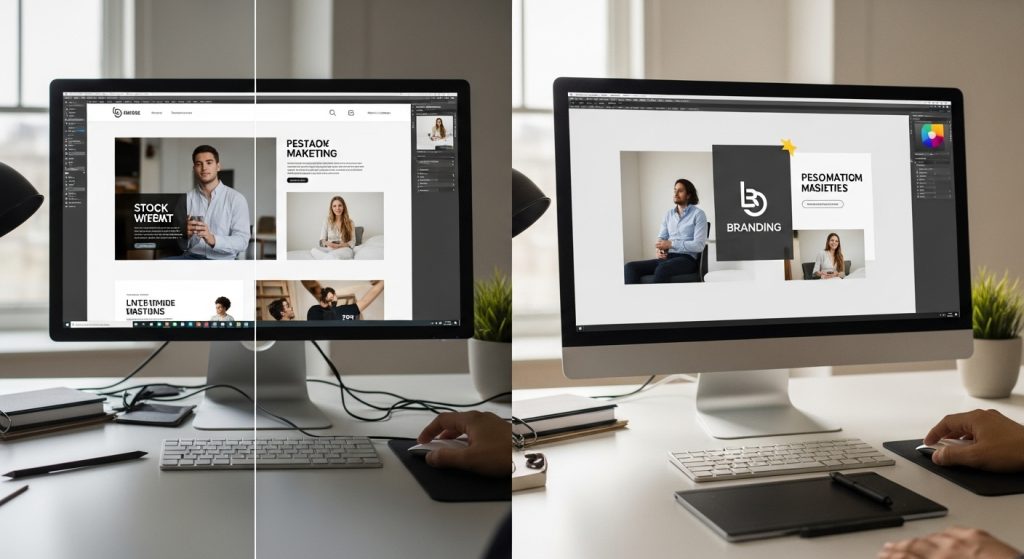
In a traditional workflow, a brand might A/B test two hero images for a landing page. With an AI-integrated workflow, that same brand can generate 50 distinct variations targeting different psychographic segments—one visual style for the logical buyer, another for the emotional buyer, and a third for the impulse buyer—all within the same afternoon.
The Hybrid Workflow
The most successful creative teams do not replace designers with AI; they arm them with it. We are seeing a shift toward a “Hybrid Workflow.” This involves:
-
- Ideation: Using AI to visualize mood boards and rough concepts instantly.
- Asset Generation: Creating specific elements (textures, backgrounds, isolated objects) using AI.
- Human Composition: A human designer assembling these AI-generated components into a cohesive, brand-compliant final piece using tools like Photoshop or Figma.
The Tiered Tech Stack: Categorizing AI Visual Tools
To build an effective toolkit, we must categorize these platforms based on their underlying architecture and intended use case. Lumping them all together leads to inefficiency.
1. The Heavy Lifters (Text-to-Image Foundation Models)
These are the engines that generate pixels from scratch.
-
- Midjourney: Currently the undisputed king of artistic fidelity and texture. Midjourney excels at “high-concept” imagery—editorial illustrations, photorealistic lifestyle shots, and abstract branding elements. Its barrier to entry is the Discord interface (though a web alpha exists), but its output quality often requires the least amount of post-processing.
- DALL-E 3 (via ChatGPT): While it may struggle with the gritty realism of Midjourney, DALL-E 3 possesses superior semantic understanding. It actually follows complex instructions involving spatial relationships (e.g., “place the red ball to the left of the blue cube”). It is ideal for literal interpretations of marketing copy.
- Adobe Firefly: The “safe” choice for enterprise. Trained exclusively on Adobe Stock images and public-domain content, Firefly mitigates the risk of inadvertently infringing on an artist’s style or intellectual property. It is the go-to for cautious brands.
2. The Editors and Enhancers (Image-to-Image)
Marketing visuals often fail not because the concept is bad, but because the resolution is low or the framing is wrong.
-
- Magnific AI & Topaz Photo AI: These are “hallucination-based upscalers.” Unlike traditional upscaling, which just guesses pixels, these tools add detail that wasn’t there, making a low-res AI generation printable on a billboard.
- Photoshop Generative Fill: This feature has saved more marketing hours than any other tool. The ability to extend a canvas (outpainting) to turn a square Instagram post into a vertical Story format with one click is invaluable.
3. The Specialized Commercial Generators
These tools wrap foundation models in user interfaces designed specifically for marketers, not artists.
-
- Flair.ai: Built specifically for CPG (Consumer Packaged Goods) brands. You upload a photo of your product bottle, and it generates high-end photoshoots around that specific asset, preserving the label text perfectly.
- Pebblely: Similar to Flair, focusing on turning boring e-commerce white-background shots into lifestyle imagery.
Deep Dive: Mastering Midjourney for Brand Consistency
- Midjourney remains the gold standard for raw visual output, but most marketers use only 10% of its capabilities. To use AI tools effectively for creating marketing visuals, you must understand the parameters.
- The Style Tuner and Seeds
- A common complaint is that AI is inconsistent. You generate a mascot once, and you can never get him to look the same again. This is solved through “Seed” control and “Character Reference.”
- –seed [number]: By keeping the seed number consistent, you freeze the “randomness” of the AI noise. This allows you to make small tweaks to a prompt without changing the entire composition.
- –cref (Character Reference): A newer feature where you provide a URL of a character image, and Midjourney attempts to maintain that character’s facial features and clothing across different settings.
- Aspect Ratio Strategy
- Marketers must think in multiple channels.
- –ar 16:9 for YouTube thumbnails and website headers.
- –ar 9:16 for TikTok and Reels backgrounds.
- –ar 4:5 for Facebook and Instagram feeds.
Generating the same prompt with different aspect ratios ensures your campaign looks native to every platform.
Prompt Engineering: The New Copywriting
- If you write generic prompts, you get generic stock photos. High-level prompt engineering requires a vocabulary that blends photography, art history, and cinematography.
- The Anatomy of a Marketing Prompt
- A professional prompt follows a specific hierarchy:
- Subject: clearly defined (e.g., “A sleek SaaS dashboard interface floating in a void”).
- Medium: (e.g., “3D render,” “Polaroid photography,” “Vector flat art”).
- Style/Artist Reference: (e.g., “Bauhaus style,” “Cinematic lighting,” “Minimalist”).
- Technical Specs: (e.g., “8k resolution,” “Unreal Engine 5,” “ISO 100,” “Macro lens”).
- Parameters: (e.g., –stylize 250, –v 6.0).
- Negative Prompting
- Equally important is telling the AI what not to do. In marketing, you often want to avoid the “uncanny valley” or messy details.
- Common negative prompts: “blur, text, watermark, messy hands, distorted architecture, grainy, low contrast, oversaturated.”
- The “Token” Economy
- AI models process prompts in “tokens.” Words at the beginning of the prompt are weighted more heavily than words at the end. If your brand color is “Electric Blue,” putting that at the very start of the prompt ensures it dominates the image. Conversely, if you want a subtle background detail, place it at the end.
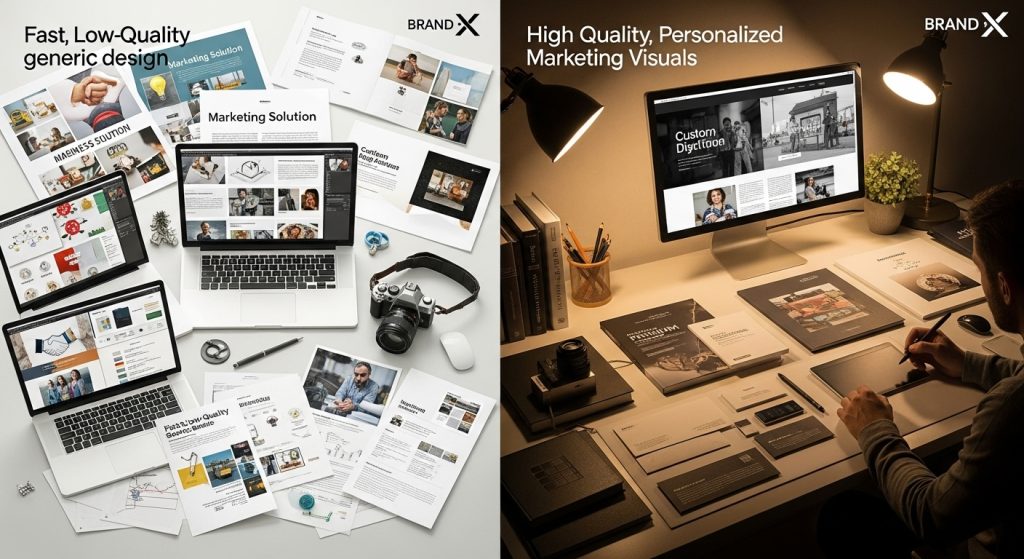
AI for Product Photography: Breaking the Studio Bottleneck
- Traditional product photography is expensive. It involves shipping products, renting studios, hiring lighting experts, and days of post-production. AI is disrupting this heavily.
- Virtual Photoshoots
- Tools like Flair.ai and Booth.ai allow marketers to upload a PNG of their product (with the background removed). The AI then “understands” the product as a fixed object and hallucinates a scene around it.
- Use Case: A beverage company can take one photo of a soda can and, within minutes, place it on a beach, a snowy mountain, a kitchen counter, and a neon-lit bar.
- The “Lighting Match” Challenge: The difficulty here is ensuring the lighting in the AI background matches that in the product photo. Advanced tools now offer “relighting” features that cast product shadows onto the AI background, grounding the object in reality.
Solving the Text Problem
- Historically, AI image generators have been illiterate. They treated letters as shapes, resulting in gibberish “alien text.” This is changing, but it requires a specific workflow.
- The “Clean Plate” Technique
- Do not try to get Midjourney or Stable Diffusion to write your headline. It will fail 90% of the time. Instead, generate “clean plates”—images with intentional negative space (empty areas) where text can be overlaid later.
- Prompt Tip: Use terms like “lots of negative space,” “minimalist background,” or “room for copy” to force the AI to declutter one side of the image.
- Ideogram and DALL-E 3
- If you must generate text within the image (for example, a neon sign or a logo on a shirt), Ideogram and DALL-E 3 are the current leaders. Ideogram, in particular, is specialized for typography. It can render complex slogans with surprising accuracy, making it excellent for logo ideation or t-shirt design mockups.
- H2: Video Generation: The Next Frontier
- While static images are conquered territory, video is the new battleground. The retention rates for video on social platforms are significantly higher, and AI is catching up.
- Runway Gen-2 and Pika Labs
- These tools allow for “Text-to-Video” or “Image-to-Video.”
- Image-to-Video: This is the most practical application for marketers. Take a high-quality product image generated in Midjourney and use Runway to add subtle motion—steam rising from coffee, clouds moving, or a slow “dolly zoom” camera movement. This turns a static ad into a “cinemagraph” or scroll-stopping video asset.
- Sora (OpenAI) and The Future
- We are on the precipice of high-fidelity, minute-long video generation. This will eventually allow marketers to generate B-roll footage without subscribing to stock video services. Need a clip of “diverse business people shaking hands in a modern office”? AI will generate it in seconds, unique to your brand’s color palette.
Integrating AI into the Corporate Workflow
- Adopting AI tools for marketing visuals creation is not just about buying software; it’s about changing how teams communicate.
- 1. The “Prompt Librarian” Role
- Organizations should designate a “Prompt Librarian” or maintain a shared database (like a Notion doc) of successful prompts. If a designer cracks the code on the perfect brand style, that prompt should be saved, templated, and shared so the social media manager can replicate the look without starting from scratch.
- 2. The Legal and Ethical Safety Net
- This is the most critical section for enterprise adoption. The U.S. Copyright Office has issued guidance stating that works created entirely by AI are not copyrightable because they lack human authorship. However, works that use AI but are significantly modified by humans can be copyrighted.
- Actionable Advice: Keep a “paper trail” of your design process. Save the raw AI generation, but also save the Photoshop files showing the layers of edits, color grading, and compositing. This proves human creative input.
- Disclosure: Be transparent. Audiences are becoming savvy at spotting AI. Attempting to pass off an AI-generated photo as a real photo of a customer event can backfire and damage trust. Use AI for illustrative and conceptual purposes, but stick to real photography for human connection and testimonials.
- For a deeper understanding of the regulatory environment, the U.S. Copyright Office’s official guidance on AI-generated works provides essential reading on where the line is drawn between human and machine authorship.
- H2: Overcoming Common AI Hurdles
- Even the best tools have limitations. Here is how expert marketers circumvent them.
- 1. The “Plastic Skin” Look
- AI portraits often look overly smooth and airbrushed.
- The Fix: Add prompt keywords like “skin texture,” “pores,” “minor imperfections,” “candid photography,” and “freckles.” This forces the model to inject noise and realism into the skin tones.
- 2. Inconsistent Branding
- AI struggles to memorize a brand’s exact hex code.
- The Fix: Generate in Black and White or low saturation, then use “Gradient Maps” in Photoshop to force your exact brand colors onto the image. Never rely on the prompt alone for color accuracy.
- 3. Weird Hands and Limbs
- Despite improvements, AI still struggles with anatomy in complex poses.
- The Fix: Use “Inpainting.” If an image is perfect but the hand has six fingers, select only the hand region and ask the AI to regenerate it. Tools like Adobe Firefly and Stable Diffusion WebUI are excellent for this surgical correction.
- H2: The ROI of AI Visuals
- Why invest time in learning these complex tools? The ROI is measurable in Cost Per Creative (CPC) and Time to Market.
- The Volume Game
- In performance marketing (Facebook Ads, Google Display), “Creative Fatigue” is a real killer. Ad performance drops as audiences get bored with seeing the same image. AI allows you to refresh creative sets weekly rather than monthly.
- Scenario: A travel agency wants to promote a trip to Japan.
- Traditional: Buy 5 stock photos. Everyone else uses the same photos.
- AI Workflow: Generate 50 unique images: “Cyberpunk Tokyo,” “Traditional Kyoto Tea Ceremony,” “Cherry Blossoms in rain,” “Anime-style street food.” Test all 50. Find the winner. Iterate.
- Cost Reduction
- Hiring an illustrator for a custom blog header might cost $300- $500 and take 3 days. Midjourney costs $30/month and takes 3 minutes. This does not mean illustrators are obsolete—they are freed up to work on high-value, complex branding projects while AI handles the ephemeral social media content.
- H2: Future Trends: What’s Coming Next?
- The technology is moving at a blistering pace. Here is what marketers should prepare for in the coming 12-24 months.
- 1. Hyper-Personalized Visuals
- Soon, we will connect CRM data to image generators. When a user named “Sarah” who likes hiking opens an email, the header image will be generated on-the-fly: a woman who looks like Sarah hiking on a trail, wearing the brand’s jacket. This level of dynamic content insertion will redefine personalization.
- 2. 3D and AR Integration
- Text-to-3D is rapidly improving. Marketers will soon be able to type “a modern sneaker, red and white,” and receive a fully rotatable 3D asset ready for an Augmented Reality filter on Instagram.
- 3. Corporate “Walled Garden” Models
- Large enterprises will stop using public models like Midjourney for sensitive work. They will train private instances of Stable Diffusion on their own asset libraries. This ensures that every output is 100% on-brand and creates a proprietary aesthetic that competitors cannot copy.
Advanced Application: Packaging and Environmental Mockups
One of the most underutilized capabilities of AI tools for marketing visuals creation is the generation of hyper-realistic mockups. Traditionally, if a CPG (Consumer Packaged Goods) brand wanted to test a new coffee bag design, they had to print a prototype, hire a photographer, and stage a shoot.
Now, marketers can utilize features like ControlNet (within the Stable Diffusion ecosystem) or specific reference compositing in Photoshop. You can take a flat 2D vector file of your logo or label and “wrap” it onto a 3D-generated object in a specific environment.
- The Workflow: Generate a “blank” scene using Midjourney—for example, “a blank kraft paper coffee bag sitting on a rustic wooden table, morning sunlight, 8k.” Import this into Photoshop. Use the “Vanishing Point” filter or Generative Fill to overlay your flat design onto the bag, setting the blending mode to “Multiply” so the paper texture shows through the ink.
- The Benefit: This allows for rapid A/B testing of packaging designs in “real-world” environments before a single unit is manufactured. You can instantly visualize how your product looks on a supermarket shelf versus a luxury boutique counter.
The “Uncanny Valley” Protocol: A QA Checklist for Marketers
Speed creates blind spots. When generating assets at scale, it is easy to miss subtle AI hallucinations that, if published, can make a brand look amateurish or careless. Before any AI-generated visual goes live, it must pass a human QA (Quality Assurance) protocol.
The 5-Point AI Inspection Checklist:
- The Limb Count: AI models have improved, but they still occasionally hide an extra finger or a backwards-bending elbow in complex poses. Always zoom in 300% on hands and feet.
- Pupil Symmetry: In portraits, the eyes are the first thing a viewer looks at. AI sometimes renders pupils that are non-circular or mismatched in size. This triggers an immediate subconscious rejection by the viewer.
- Logical Lighting: Does the shadow fall in the same direction as the light source? Sometimes AI will light a face from the left but cast a shadow to the left. This physical impossibility makes the image feel “fake” even if the viewer can’t articulate why.
- Background Text: Check the background for gibberish. AI loves to insert neon signs or book spines with alien hieroglyphics. These must be removed via Inpainting or Photoshop.
- Cultural Context: AI models are trained on global data, but they can be stereotypical. Ensure the visual representation aligns with your specific target demographic and doesn’t inadvertently rely on outdated cultural tropes.
Privacy and Security: The Case for Local Hosting
For agencies working with high-compliance clients—such as healthcare, finance, or government contractors—using cloud-based tools like Midjourney or DALL-E poses a data-leak risk. You cannot upload sensitive proprietary concepts to a public Discord server.
This is where Stable Diffusion (Local Install) becomes the mandatory choice for authoritative, secure workflows. By installing interfaces like Automatic1111 or ComfyUI locally on your own hardware (requires a powerful GPU), you ensure that no data ever leaves your internal network.
- Custom Fine-Tuning (LoRA): Local hosting enables you to train small, specialized models (LoRAs) on your client’s assets. You can train a model on a CEO’s face or a specific patented machine part. This allows you to generate endless marketing materials featuring that exact person or object without the privacy risks associated with cloud computing.
Final Thoughts: The Human Element Remains Supreme
The ultimate goal of using AI tools for marketing visuals creation is not to remove the human from the loop, but to elevate the human’s starting point. Instead of starting with a blank canvas, we start with a high-fidelity concept. Instead of spending the budget on stock photos, we invest in a creative strategy.
The marketers who win in this new era will be those who treat AI not as a magic button, but as a tireless junior designer—one that requires clear direction, constant supervision, and the finishing touch of a human expert to turn raw potential into commercial success.
Conclusion: Actionable Next Steps
- The era of AI tools for marketing visuals creation is not coming; it is here. The divide between marketers who leverage these tools and those who don’t is widening into a chasm of productivity.
- To start today:
- Audit your visual needs: Identify your bottlenecks. Is it social media volume? Blog thumbnails? Ad variations?
- Pick one tool and master it: Do not try to learn them all at once. Start with Midjourney for quality or Adobe Firefly for ease of use.
- Establish a policy: Set ground rules for your team regarding copyright, disclosure, and quality control.
- Experiment endlessly: The “weird” ideas often perform best. Let the AI surprise you.
- By embracing these tools with a strategic, human-led approach, you transform your marketing department from a content factory into a creative powerhouse, capable of executing at the speed of culture. The machine holds the brush, but you must guide the hand.