
Introduction to AI Tools for Professional Photo Editing
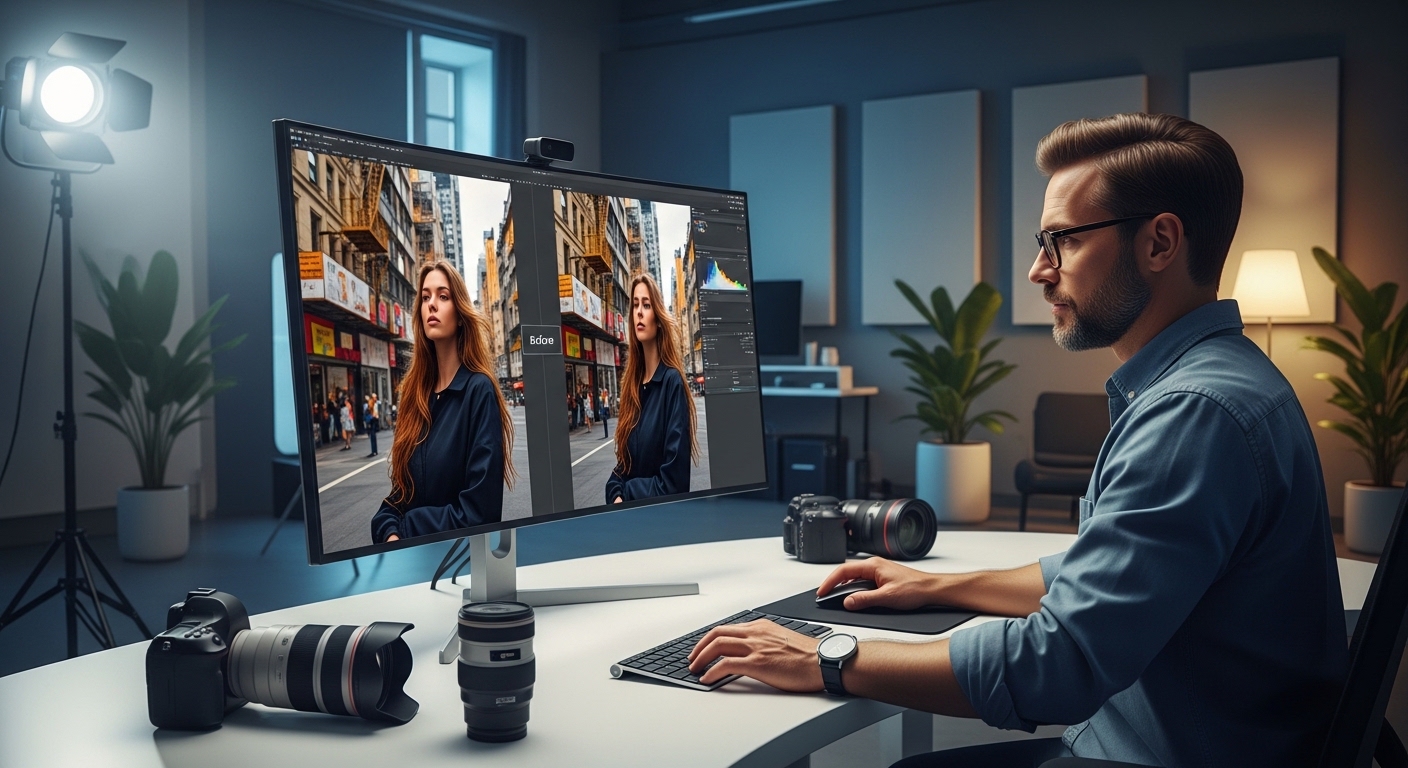
The first time I watched an AI-powered tool remove a complex background in three seconds flat—a task that would have taken me 45 minutes of careful masking—I felt a strange mix of awe and mild existential dread. That was back in 2021. Fast forward to today, and AI tools for professional photo editing have become as essential to my workflow as my camera bodies and lenses.
But let me be clear from the start: this isn’t a breathless love letter to technology or a doom-and-gloom prediction that photographers will become obsolete. Having integrated these AI tools for professional photo editing into commercial shoots, wedding edits, and personal projects, I’ve developed a nuanced perspective that working professionals need to hear.
The landscape of professional photography has transformed dramatically over the past few years. Where we once spent entire days on tedious retouching tasks, intelligent software now handles these in minutes. Yet understanding how to leverage these tools effectively—while maintaining creative control—requires knowledge that goes far beyond simply clicking buttons.
Throughout this comprehensive guide, I’ll share real-world experiences, practical workflows, honest assessments of limitations, and strategic recommendations for photographers at every level. Whether you’re a seasoned commercial photographer or a serious enthusiast looking to upgrade your editing capabilities, this deep dive into AI tools for professional photo editing will give you actionable insights you can apply immediately.
Understanding How AI Photo Editing Technology Actually Works
Before diving into specific tools and techniques, it’s worth understanding what’s actually happening under the hood—without getting too technical.
These intelligent systems have been trained on millions of images to recognize patterns, understand what a “good” edit looks like, and predict what you’re trying to accomplish. When Lightroom’s masking tool automatically selects a subject, it’s not magic—it’s pattern recognition at a scale and speed impossible for human processing.
Think of it like having an incredibly fast assistant who’s studied every retouching tutorial ever created. They can make suggestions and handle grunt work, but the creative vision? That still needs to come from you.
The Technology Behind Modern AI Photo Editing
Machine learning algorithms analyze countless photographs to understand relationships between elements. They learn to distinguish between skin tones and background colors, recognize the difference between intentional grain and unwanted noise, and predict how shadows should fall based on lighting conditions.
Neural networks—the foundation of most AI tools for professional photo editing—process images through multiple layers of analysis. Each layer identifies increasingly complex features, from basic edges and colors to sophisticated concepts like facial expressions, depth of field, and compositional elements.
The result is software that can make intelligent decisions about your images, often producing results that rival hours of manual editing. However, and this is crucial, these systems work from statistical probability, not creative understanding. They know what typically looks good because they’ve seen millions of examples, but they don’t understand why a particular creative choice might be perfect for your specific vision.
Types of AI Processing in Photo Editing
Understanding the different approaches helps you choose the right tool for each task:
Generative AI creates new image content based on text prompts or contextual understanding. This powers features like Photoshop’s Generative Fill, which can extend backgrounds or add objects that didn’t exist in the original capture.
Recognition AI identifies and selects specific elements within images—subjects, skies, backgrounds, and specific objects. This technology enables one-click masking that would previously require painstaking manual selection.
Enhancement AI analyzes images and applies corrections to improve quality. Noise reduction, sharpening, color correction, and exposure adjustments can be automated based on the software’s understanding of what makes images look better.
Restoration AI specializes in recovering damaged or degraded images, reconstructing missing information using predictions based on surrounding context and learned patterns from similar images.
The Current Landscape: Best AI Tools for Professional Photo Editing
The market for AI tools for professional photo editing has exploded with options ranging from integrated features in established software to specialized standalone applications. Here’s an honest assessment based on extensive hands-on experience.
Adobe Creative Cloud: The Industry Standard Evolution
Adobe has aggressively integrated intelligent features across Photoshop and Lightroom, and honestly, they’ve earned their place in most professional workflows. As the most widely used platform for professional editing, their AI implementations deserve careful examination.
Photoshop’s AI Capabilities
The Content-Aware Fill and Generative Fill capabilities in Photoshop have matured significantly since their introduction. I recently used Generative Fill to extend a product shot after the shoot was wrapped, when the client decided they needed more negative space for text placement. Three years ago, this would have meant reshooting or hours of clone stamping. Now? A five-minute fix.
Neural Filters offer one-click transformations, including skin smoothing, colorization of black-and-white images, style transfer, and depth-blur effects. While results vary depending on the source image, these filters provide starting points that can dramatically reduce editing time.
The Select Subject and Object Selection tools use sophisticated recognition to create accurate selections with single clicks. For composite work and targeted adjustments, this represents a genuine revolution in efficiency.
However, I’ll be honest about limitations. Generative Fill struggles with hands, specific brand elements, and complex textures that need to match existing image content precisely. I’ve had plenty of results that looked impressive at thumbnail size but fell apart on closer inspection. The technology is impressive, but it’s not a replacement for skilled retouching when precision matters.
Lightroom’s Intelligent Features
The masking improvements in Lightroom Classic deserve special mention for photographers processing large volumes of images. Select Subject, Select Sky, Select Background—these automated selections have cut my batch editing time by roughly 40%. Not perfect, but remarkably close on most images.
Denoise AI within Lightroom has become remarkably effective, especially on RAW files. The ability to reduce noise while preserving genuine detail has saved countless images shot in challenging conditions.
Auto Settings have improved to the point where they provide genuinely useful starting points rather than the wildly inconsistent results of earlier implementations. I still refine every image manually, but starting closer to the finish line matters when processing hundreds of photographs.
The Enhanced Details and Super Resolution features enable significant upscaling without the mushiness that plagued earlier approaches. For clients requiring print sizes larger than the original resolution supports, these tools have been invaluable.
Capture One: A Measured Approach to AI Tools for Professional Photo Editing
Capture One has taken a more conservative path, integrating intelligent features gradually while maintaining its reputation for color accuracy and tethered shooting reliability.
Their skin tone handling and color science remain industry-leading for portrait and fashion work. The intelligent adjustments aren’t as flashy as Adobe’s generative capabilities, but they’re remarkably accurate for professional workflows requiring consistency.
Smart Adjustments learn from your editing patterns and can apply similar logic across image sets. For commercial photographers doing high-volume work with consistent lighting setups, this offers genuine time savings without the unpredictability that can come with more aggressive AI implementations.
Auto Keystone Correction handles architectural distortion with impressive accuracy, distinguishing between intentional perspective and unwanted lens distortion.
The catalog and tethering performance remains superior to Lightroom for many studio photographers, and the color grading tools offer precision that purely automated approaches can’t match. Capture One represents a thoughtful integration of AI tools for professional photo editing rather than a wholesale embrace of automation.
Specialty AI Tools for Professional Photo Editing: Focused Solutions
Beyond comprehensive editing suites, specialized applications offer targeted capabilities that often exceed what integrated tools provide.
Luminar Neo: Accessible AI Editing
Luminar Neo has carved out a niche for landscape and portrait photographers who want powerful enhancements without deep technical expertise. Their sky replacement, while sometimes producing overdone results in amateur hands, handles complex tree branches and fine hair better than many competitors.
The Portrait Bokeh feature adds realistic background blur based on depth detection, offering an alternative to expensive fast glass in certain situations. Results don’t match genuinely shallow depth of field, but for social media and web use, they’re often convincing.
Relight AI enables post-facto lighting adjustments, rescuing shots with problematic illumination. It’s not a replacement for good lighting practice, but as a salvage tool, it’s remarkably effective.
For photographers intimidated by Photoshop’s complexity, Luminar Neo offers genuinely useful AI tools for professional photo editing in an approachable package. The subscription or perpetual license options provide flexibility for different business models.
Topaz Labs: Technical Excellence
Topaz Photo AI has become my go-to for noise reduction and upscaling. The sharpening algorithms distinguish between edge detail and noise in ways traditional methods don’t. I’ve successfully rescued underexposed wedding reception images that would have been unusable just a few years ago.
The software analyzes each image individually, automatically adjusting parameters while allowing manual override when needed. For challenging images—high ISO, motion blur, focus issues—Topaz often produces the best results available from any current AI tools for professional photo editing.
Gigapixel AI specifically handles upscaling, enabling dramatic increases in resolution while maintaining sharpness and detail. For fine art printing or cropping heavily for composition, this technology has expanded what’s possible from original captures.
The processing speed has improved dramatically with recent updates, though it still requires significant computational resources for the best results. Investment in a capable GPU pays dividends when processing large image batches.
DxO PhotoLab: Scientific Precision
DxO PhotoLab offers perhaps the most scientifically rigorous approach to lens corrections and its DeepPRIME noise reduction technology. For architectural photographers dealing with geometric distortions, it’s genuinely impressive.
Their lens correction database addresses specific optical characteristics of thousands of camera and lens combinations, enabling corrections that generic algorithms can’t match. The difference is subtle but meaningful for technically demanding applications.
DeepPRIME and DeepPRIME XD noise reduction leverage deep learning while maintaining the technical precision DxO is known for. For photographers who prioritize technical accuracy over creative effects, this represents one of the finest implementations of AI tools for professional photo editing.
Emerging AI Tools for Professional Photo Editing
Runway and Clipdrop have introduced features that blur the line between photo editing and image generation. While these are more experimental, I’ve used Runway’s background generation for quick composite mockups before committing to more polished final edits.
Remove.bg and Removal.AI specialize in background removal, with APIs that enable batch processing at scale. For e-commerce and catalog work, these services can process thousands of images with minimal human intervention.
Pixelmator Pro (Mac only) offers sophisticated AI capabilities at a fraction of Adobe’s subscription cost. For photographers working primarily on Apple hardware, it offers excellent value, with features comparable to those of much more expensive options.
ON1 Photo RAW integrates AI masking, noise reduction, and enhancement into a comprehensive editing platform that competes directly with Lightroom. Their perpetual license model appeals to photographers who avoid subscription commitments.
Real-World Workflow Integration: AI Tools for Professional Photo Editing in Practice
Let me walk you through how these tools actually fit into professional work, using recent projects as examples. Theory matters, but practical application determines whether these tools actually improve your business.
Commercial Product Photography Case Study
A regional furniture retailer needed 200+ product images for their e-commerce refresh. The shoot was scheduled for two days, with delivery expected within a week. Here’s how AI tools for professional photo editing transformed what would have been an overwhelming deadline into a manageable project.
Traditional Approach Timeline
Previously, this would have meant:
- Day 1-2: Shooting
- Day 3-5: Background masking and cleanup
- Day 6-7: Color correction and consistency checking
- Day 8: Client revisions
- Day 9-10: Final delivery
AI-Integrated Approach
Here’s how it actually went:
During the shoot, I used tethered capture with Capture One’s intelligent auto-adjustments to achieve rough color matching in real time. This helped the client’s creative director approve compositions on-set, reducing the need for reshoots later.
Initial processing involved batch background removal using the Remove tool—bg’s API integration, which handled about 85% of products cleanly. The remaining 15%—items with transparent elements, complex textures, or unusual shapes—needed manual attention.
Color consistency was maintained using a combination of Lightroom’s intelligent preset matching and careful reference image comparison. The software suggested adjustments; I verified and refined.
Final delivery happened on day 5. The client was thrilled. My profit margin improved significantly while delivering higher-quality results than in previous projects.
Wedding Photography Workflow
Wedding photography presents different challenges—emotional moments, varying lighting, high volume, and tight turnarounds. Here’s how AI tools for professional photo editing integrate into this demanding specialty.
Culling and Selection
Modern AI culling software like Aftershoot analyzes thousands of images to identify duplicates, technical failures, and standout shots. What previously required hours of tedious comparison now happens in minutes, with the software learning my preferences over time.
I still review every selection, but starting with AI-curated candidates dramatically reduces mental fatigue during the critical culling phase.
Batch Processing
For ceremony and reception coverage, AI masking enables targeted adjustments that would be impractical to apply manually across hundreds of images. Selecting subjects for exposure adjustments, identifying and enhancing skies in outdoor shots, applying consistent skin tone corrections—these tasks now happen at batch scale.
Challenging Conditions Recovery
Reception lighting consistently challenges photographers. AI noise reduction has transformed images shot at ISO 8000+ from grainy disasters into usable photographs. Color correction AI understands mixed lighting conditions and can neutralize problematic color casts that would otherwise require complex manual masking.
Portrait Retouching Workflow
Portrait work requires particular sensitivity, balancing technical enhancement with authentic representation. AI tools for professional photo editing have transformed retouching while raising important questions about appropriate application.
Skin Retouching
Modern skin retouching AI maintains texture while reducing blemishes and evening skin tone. The difference from the heavy-handed smoothing of earlier tools is dramatic—results that look polished but natural.
However, I approach these tools with intentional restraint. The ability to dramatically transform appearances doesn’t mean it’s appropriate or ethical. AI makes extreme retouching easy; professional judgment determines whether it’s right.
Frequency Separation and Detail Work
AI-assisted frequency separation accelerates the separation of texture from tone, enabling refined retouching that preserves natural skin character. The time savings enable more attention to creative aspects rather than technical drudgery.
Eye Enhancement and Detail Sharpening
Intelligent recognition enables targeted eye enhancement that would otherwise require painstaking manual selection. Brightening catchlights, enhancing color, sharpening detail—these adjustments now happen with guided efficiency rather than tedious precision work.
Where AI Tools for Professional Photo Editing Genuinely Excel
Having tested virtually every major option over recent years, patterns emerge about where these tools deliver genuine value versus where they fall short.
Background Removal and Subject Selection
This is where the time savings are most dramatic. Tasks that require skilled manual work—such as creating precise masks around hair, fur, or semi-transparent objects—are now handled automatically with remarkable accuracy.
For catalog work, portrait sessions, and composite photography, this represents a genuine paradigm shift in efficiency. What once required expensive, specialized skills now happens in seconds with consumer-accessible tools.
Noise Reduction and Image Enhancement
Modern intelligent noise reduction actually reconstructs detail rather than simply smoothing it away. I’ve recovered usable images shot at ISO 12800 in ways that would have been impossible with traditional noise reduction algorithms.
The combination of noise reduction and intelligent sharpening enables rescuing images that would previously have been discarded entirely. For event photographers and photojournalists working in challenging conditions, this technology has genuinely expanded what’s possible.
Batch Processing and Consistency Maintenance
When you’re editing hundreds of images from a single event or session, intelligent tools can learn from your adjustments and apply similar logic to the full set. This maintains consistency while dramatically reducing repetitive work.
AI tools for professional photo editing excel at the tedious consistency work that humans find exhausting. Let the software handle uniformity while you focus on creative decisions that require human judgment.
Old Photo Restoration and Damage Repair
I’ve done a handful of photo restoration projects for clients with damaged family photographs. The intelligent reconstruction of missing information—faces, backgrounds, details obscured by damage—has made projects feasible that would have required days of painstaking manual work or been impossible entirely.
Colorization AI can produce remarkably naturalistic results from black-and-white originals, though the results require human oversight and often require adjustments to achieve historical accuracy.
Where Human Judgment Remains Essential in Professional Photo Editing
Despite dramatic technological advances, significant areas remain where human judgment is irreplaceable. Understanding these boundaries helps photographers use AI tools for professional photo editing effectively while maintaining the qualities that make their work valuable.
Creative Vision and Direction
No tool can decide that this particular portrait should have a warmer, nostalgic feel, while that one should feel crisp and contemporary. The creative vision behind an edit remains entirely human.
AI can execute efficiently, but the questions of why—why this mood, why this color grade, why this crop—require human understanding of context, intention, and artistic goals that software doesn’t possess.
Emotional Nuance in Retouching
Portrait retouching is deeply personal work. Knowing how much to smooth skin while maintaining character, understanding which “imperfections” are actually character-defining features, respecting the subject’s sense of self—these require human judgment and often human conversation.
I’ve seen AI tools turn subjects into plastic dolls. Technically impressive, but completely wrong for the purpose. The best retouching is often invisible, enhancing without transforming, and that subtlety requires human sensitivity.
Context and Intent Understanding
Why is this photo being edited? What story should it tell? What will it be used for? These questions shape every editing decision, and they require understanding that purely pattern-based systems don’t possess.
A professional headshot serves different purposes than the same person photographed for a lifestyle campaign. AI tools for professional photo editing can execute either approach, but determining which approach is appropriate requires human understanding of context.
Quality Control and Error Detection
Every AI-generated or AI-assisted edit needs human review. I’ve caught skin textures that have become unnaturally smooth, eyes that have gained an uncanny quality, and backgrounds that have introduced subtle artifacts. The tools are remarkably good, but they’re not infallible.
Professional delivery requires human verification of technical quality and aesthetic appropriateness. AI accelerates the work; humans ensure it’s actually correct.
Ethical Considerations When Using AI Tools for Professional Photo Editing
We need to talk about ethics, because this stuff matters for the integrity of our profession and the wellbeing of our subjects.
Consent and Representation
When you use generative tools to modify someone’s appearance, you’re making choices that affect their representation. This deserves careful thought. I’ve had clients ask me to make subjects look “younger” or “thinner” in ways that I felt crossed ethical lines.
These tools make dramatic modifications easy. That doesn’t make them appropriate. Professional photographers should consider the impact of modifications on subjects’ self-image and establish clear boundaries about acceptable alterations.
Authenticity in Journalism and Documentary Work
If you work in photojournalism or documentary photography, many of these tools should never be used. The line between acceptable adjustment and manipulation is clearer than some people want to admit, and intelligent tools make crossing it trivially easy.
Basic adjustments for clarity—exposure, color correction, cropping—remain acceptable under most editorial standards. Adding, removing, or significantly altering content crosses lines that damage journalistic integrity and public trust.
Disclosure and Transparency
For commercial work, transparency matters. If a “photograph” is substantially generated rather than captured, that probably deserves acknowledgment, depending on context and use.
Clear communication with clients about what tools and techniques will be applied helps establish appropriate expectations and maintains trust in professional relationships.
Artist Attribution and Training Data
Some intelligent tools have been trained on copyrighted images without permission or compensation. This remains a contested legal and ethical area. I use tools from companies that have addressed these concerns transparently, though the landscape remains murky and evolving.
Supporting tools developed ethically helps encourage responsible Development practices across the industry.
Honest Assessment of Limitations in Current AI Photo Editing Technology
Enthusiasm for AI tools for professional photo editing shouldn’t obscure genuine limitations that affect professional use.
The Uncanny Valley Problem
Heavily processed images often fall into an unsettling space where something feels “off” even if viewers can’t articulate what. This is especially true with faces and human forms.
The ability to detect AI manipulation varies among viewers, but many people sense when images have been excessively processed. For work intended to feel authentic and natural, restraint in AI applications often produces better results than aggressive enhancement.
Training Biases and Representation Issues
These systems inherit biases from their training data. Skin tone handling, beauty standards, cultural representations—all of these areas show biases that thoughtful professionals need to recognize and actively work around.
Default beauty enhancement settings often reflect narrow Western beauty standards. Professional photographers should critically evaluate whether AI suggestions actually serve their subjects and clients well.
Consistency and Predictability Challenges
For series work or ongoing client relationships, the unpredictability of AI-generated elements can create consistency challenges. The same prompt or setting might produce noticeably different results on different days or even different attempts.
Establishing reliable, reproducible workflows requires understanding and accommodating this variability rather than expecting perfectly consistent automated results.
Learning Curve and Skill Requirements
These tools still require learning. They’re not magic “make good photo” buttons. Understanding their capabilities, limitations, and appropriate applications takes time and experimentation.
Photographers who invest in genuinely understanding how these tools work—not just which buttons to press—get significantly better results than those expecting automation to replace skill.
Computational Requirements
Many AI tools for professional photo editing require significant computational resources. Processing speed depends heavily on the graphics card’s capabilities, and older hardware may struggle with newer features.
Budget for hardware upgrades when planning AI integration. The tools are only valuable if they run efficiently enough, actually, to save time in your workflow.
Practical Recommendations for Implementing AI Tools for Professional Photo Editing
Based on years of experimentation and integration, here are concrete recommendations for photographers at various levels.
For Working Professionals
Start with the intelligent features built into tools you already use. Adobe and Capture One have integrated capabilities that won’t disrupt your existing workflow but will save significant time on tedious tasks. Master these before adding additional software.
Add specialty tools as needed based on your specific challenges. Topaz for noise and sharpening. Removal.AI or Remove.bg for batch background work. Build a toolkit that addresses your actual pain points rather than chasing every new release.
Always maintain a human review step. These tools are assistants, not replacements for professional judgment. Budget time for quality control even as processing time decreases.
Track your actual time savings carefully. Some tools justify their cost immediately; others are solutions looking for problems you don’t have.
For Serious Enthusiasts
Luminar Neo offers an approachable entry point with impressive results for landscape and portrait work. The one-click enhancements can teach you about editing principles even as they automate the execution.
Don’t rely exclusively on automated adjustments. Learn the fundamentals so you can understand what the tools are doing and intervene effectively when needed. AI tools for professional photo editing work best as accelerators for people who understand the underlying principles.
Experiment broadly before committing to subscriptions. Most tools offer trials that let you evaluate real-world performance before a financial commitment.
For Photography Businesses
Calculate your actual ROI before committing to subscriptions—factor in time savings, quality improvements, and capability expansion against subscription costs and learning curve investments.
Consider client communication carefully. How will you handle requests that rely heavily on generative capabilities? What’s your pricing model when these tools dramatically reduce editing time? Transparent communication prevents misunderstandings.
Develop clear policies about AI use that you can articulate to clients when questions arise. Proactive communication builds trust.
Future Trajectory of AI Tools for Professional Photo Editing
These tools will continue improving rapidly. The pattern recognition and generation capabilities we see today will seem primitive within just a few years.
Processing speeds will increase while hardware requirements decrease. Features currently requiring expensive desktop GPUs will run on laptops and, eventually, on mobile devices.
Integration will deepen across platforms, with AI capabilities becoming expected features rather than premium additions. The differentiation will shift toward quality of implementation and specific workflow optimization.
Ethical and legal frameworks will develop as courts and regulators address questions about training data, consent, and disclosure. Photographers should stay informed about evolving standards and requirements.
Conclusion: The Human Element in AI-Assisted Photo Editing
After extensive experience with virtually every major AI tool for professional photo editing, here’s what I believe after watching this technology mature: the photographers and retouchers who thrive will be those who view these tools as amplifiers of human creativity rather than replacements for it.
The camera didn’t make painters obsolete. Digital photography didn’t eliminate the need for skilled photographers. AI tools for professional photo editing won’t eliminate the need for creative professionals who understand light, composition, storytelling, and human connection.
They will, however, change the economics of our industry, shift the skills that command premium pricing, and require ongoing adaptation from those of us who do this work professionally.
The tedious technical work that once consumed hours now happens in minutes. This frees up time for creative exploration, client relationships, and the aspects of photography that actually matter—capturing moments that matter to people.
That’s uncomfortable for some who built businesses on technical skills that are becoming commoditized. It’s exciting for others who see opportunities to focus on creativity and connection. Both feelings are legitimate if you’re being honest with yourself.
The tools are here. They’re improving rapidly. Learning to use them effectively while maintaining the human qualities that make photography meaningful isn’t optional anymore—it’s professional survival.
What matters now is how thoughtfully we integrate these capabilities, how carefully we maintain ethical standards, and how intentionally we develop the distinctly human skills that no algorithm can replicate.